The Market: Multi-Vendor Marketplace Source Code (Next.js, Prisma & Stripe)
The Market is a multi-vendor marketplace script where independent shops sell through one storefront. Customers pay through Stripe Checkout and collect from the shop with a pickup code, vendors manage products, stock, orders and earnings, and admins track commission, holdbacks and vendor settlements. Built with Next.js, Prisma and PostgreSQL.
Screenshots
About this product
Launching a multi-vendor marketplace looks simple until you list what it actually needs: vendor onboarding, a product catalog that many shops can edit, a cart and checkout, role-based dashboards, and above all the money side. Commissions, pending and available balances, holdback windows and payout records are what separate a marketplace from an ordinary online store. Building that from scratch usually takes months before the first vendor can list a product.
The Market is a multi-vendor marketplace source code built with Next.js, Prisma and PostgreSQL. Customers browse products from independent sellers and pay securely online through Stripe. Vendors run their own shop dashboard for products, stock, orders and earnings. Platform administrators get a finance and settlements console that tracks commission, vendor balances and payout history. The seller positions it as a ready foundation for phone-accessory, electronics, niche or regional multi-vendor marketplaces.
Features
Customer storefront
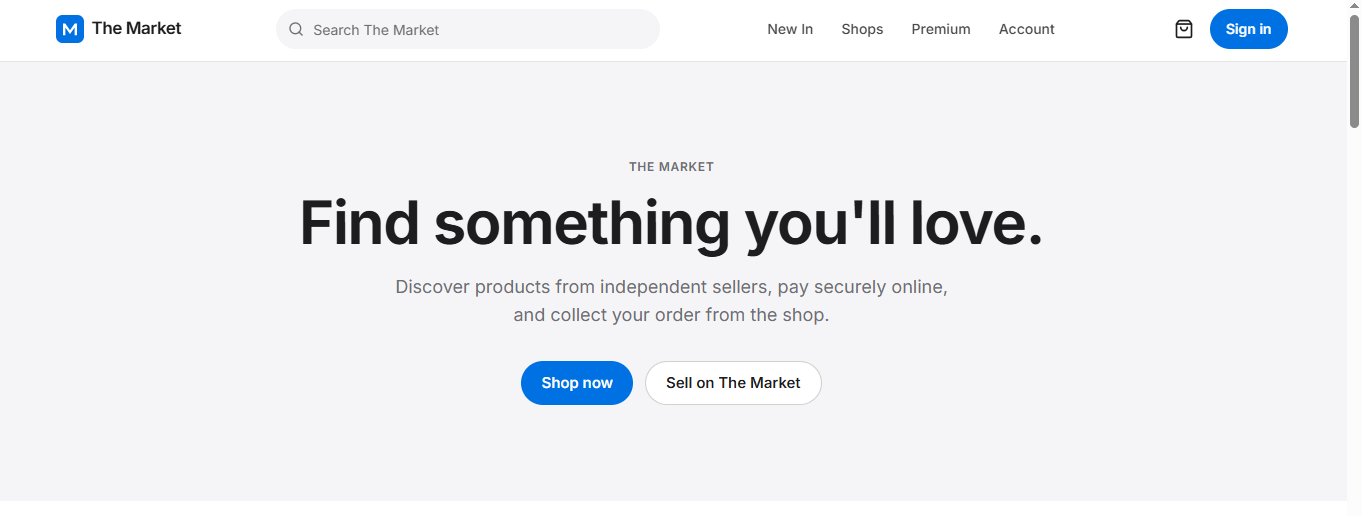
- Landing page with search, New In, Shops, Premium and account navigation, plus Shop now and Sell on The Market calls to action
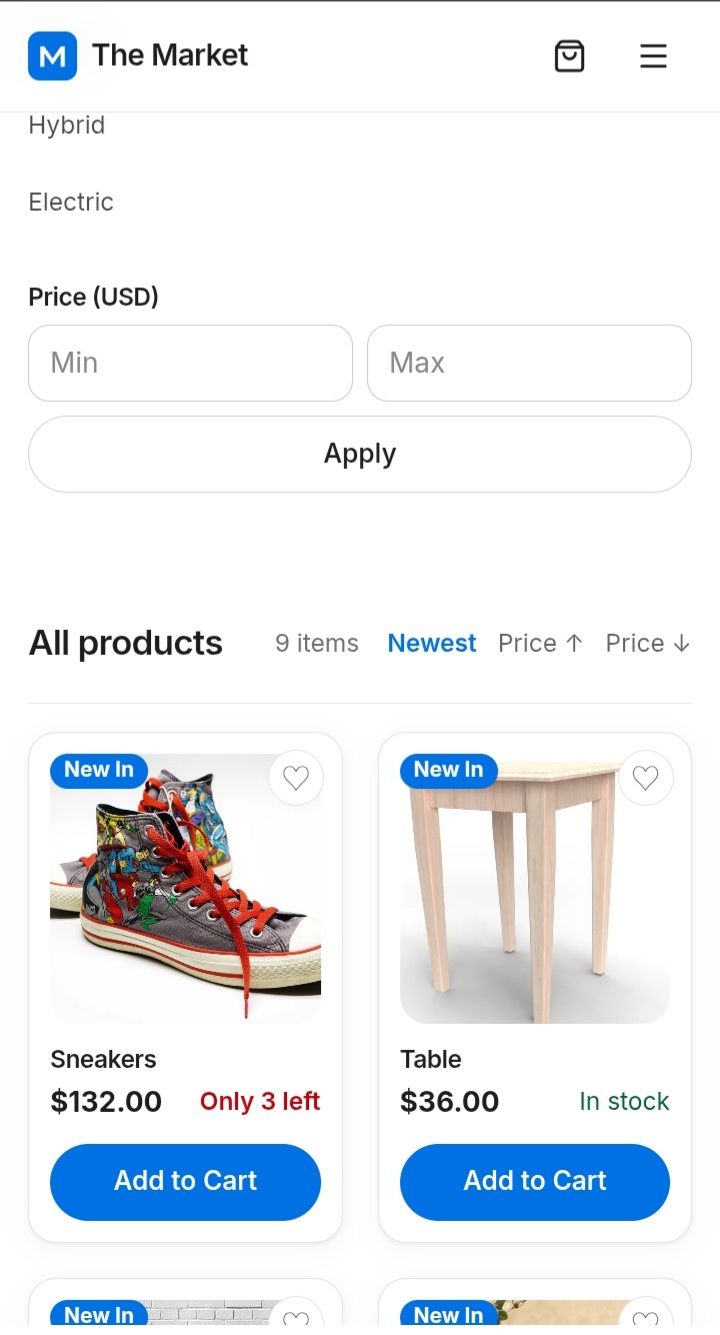
- Product listing with filters, a min/max price filter and sorting by newest or price (ascending and descending)
- Product cards with New In badges, wishlist hearts, stock messages such as "Only 3 left" and one-tap Add to Cart
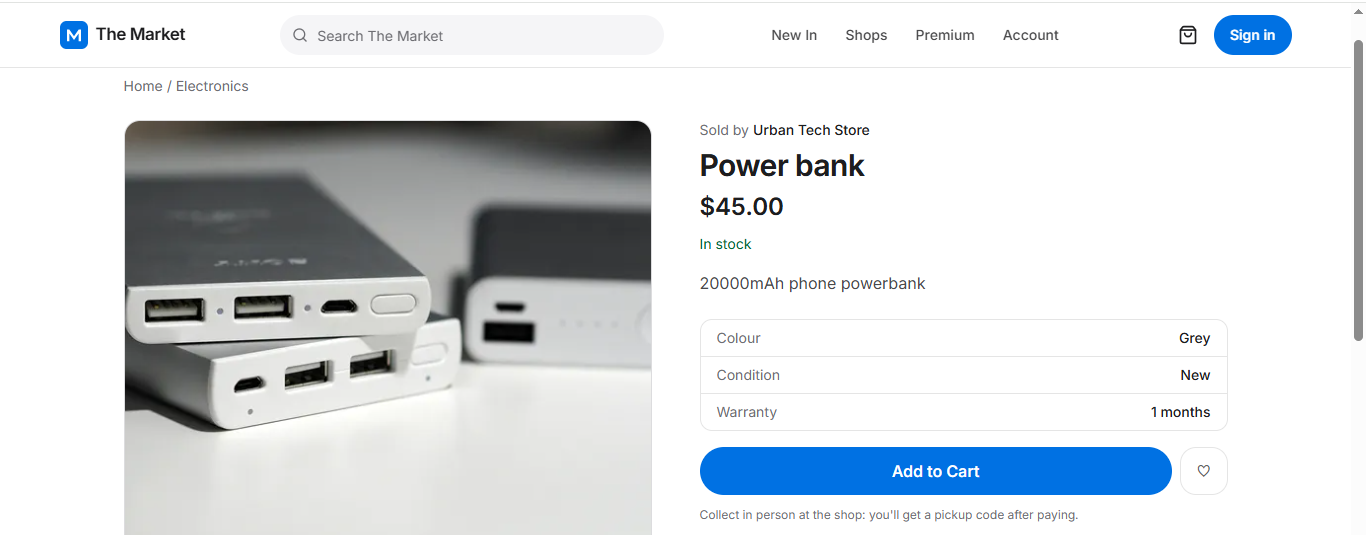
- Product pages with breadcrumbs, a Sold by shop link, price, stock status, description and attributes such as colour, condition and warranty
- Responsive layout that works on mobile browsers
Checkout and fulfilment
- Stripe Checkout for payments; the sandbox screen shows card payments alongside wallet buttons such as Apple Pay, Link and Amazon Pay
- Order records, payment states and transaction references stored in PostgreSQL
- Click-and-collect fulfilment: the product page tells buyers they collect the order in person at the shop and receive a pickup code after paying
- A Premium option sold through Stripe (shown as "The Market Premium" at $20.00 in the sandbox)
Vendor shop dashboard
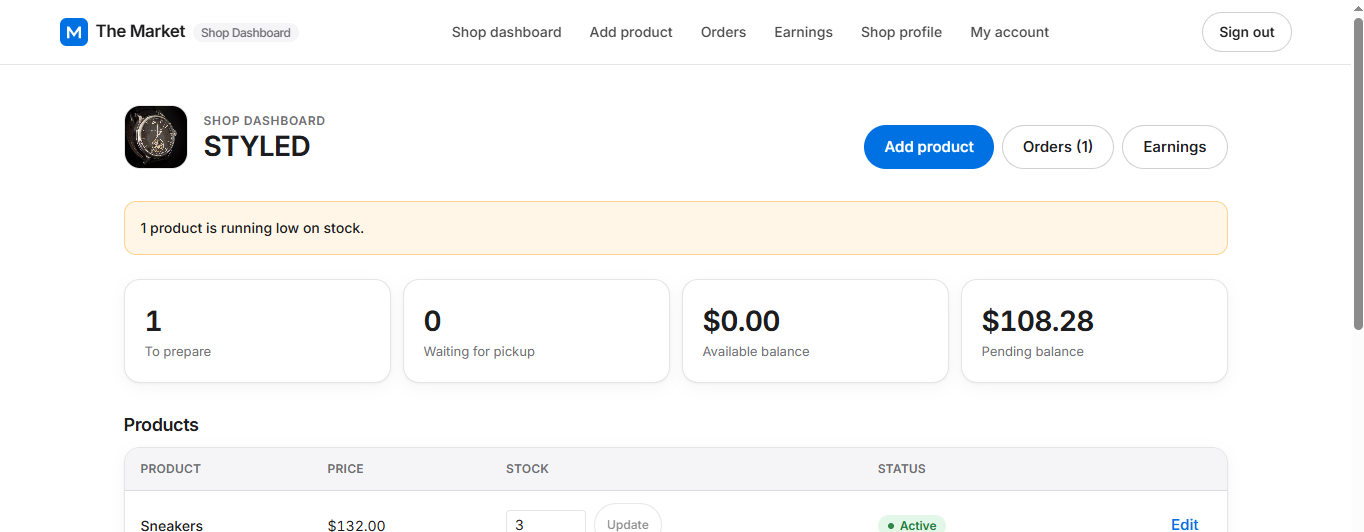
- Shop dashboard with Add product, Orders, Earnings and Shop profile sections
- At-a-glance counters for orders to prepare and waiting for pickup, plus available and pending balance
- Low-stock alerts and an inline stock editor in the products table, with active/inactive status per product
- Product creation with pricing, inventory and image uploads to external image storage
Platform admin and settlements
- Admin areas for Overview, Finance, Catalogue, Fulfilment and Security
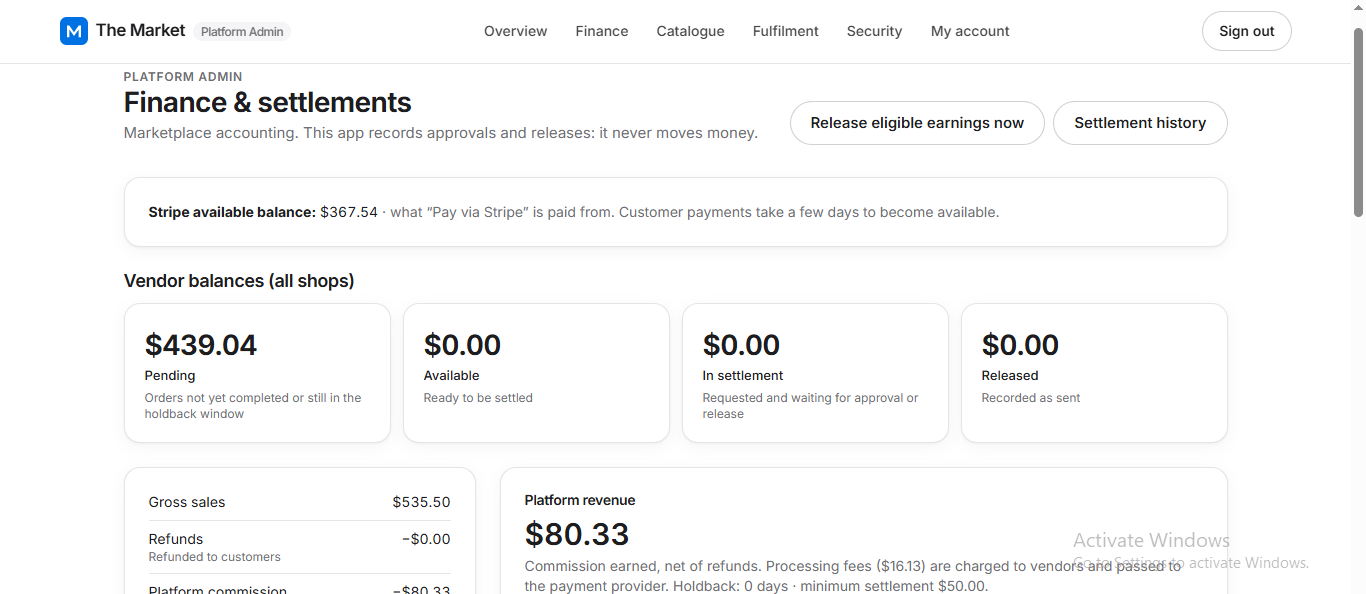
- Finance & settlements page showing the Stripe available balance and vendor balances across all shops: pending, available, in settlement and released
- Gross sales, refunds, platform commission and platform revenue, with processing fees passed on to vendors
- Configurable holdback window and minimum settlement amount, a Release eligible earnings now action and a settlement history
- Platform-wide management of users, vendors, products, orders, payments and audit information
Who it is for
- Agencies and freelancers who need a multi-vendor ecommerce starting point for client projects
- Founders launching an electronics, phone-accessory or niche marketplace
- Regional or city marketplaces where buyers pick up from local shops instead of waiting for delivery
- Developers who want a modern Next.js + Prisma reference for marketplace settlement logic
How it works
- A shop owner signs up through Sell on The Market and sets up a shop profile.
- The vendor adds products with prices, stock and images from the shop dashboard.
- Customers browse, filter and search the catalog, add items to the cart and pay through Stripe Checkout.
- The vendor prepares the order; the customer collects it at the shop with a pickup code.
- Earnings sit as pending until the holdback window passes, then become available for settlement.
- The admin releases eligible earnings and records payouts in the settlement history.
Ways to monetize
The built-in model is a platform commission on every sale, recorded automatically in the finance console. The codebase also includes a paid Premium option sold through Stripe. A buyer could add vendor subscription plans, featured listings or paid placement on top.
Technology
Next.js · React · Prisma ORM · PostgreSQL · Tailwind CSS · Stripe Checkout · Cloudinary-style external image storage · Vercel deployment (Neon or another PostgreSQL provider)
What you get
- Full Next.js source code for the storefront, vendor dashboard and admin panel
- Prisma database schema and migration support
- Role-based access control for customers, vendors and administrators
- Environment-based configuration and deployment documentation (PDF)
- 30 days of seller support
Good to know
- Status. No customer base, revenue or traffic is claimed, and the screenshots show Stripe in sandbox (test) mode. Treat it as a ready-to-launch codebase, not a running business.
- Payouts are recorded, not sent. The admin finance screen states that the app records approvals and releases but never moves money. Vendor payouts have to be made outside the app (or you add Stripe Connect or a similar payout integration).
- Fulfilment model. The screens show in-store pickup with a pickup code. No shipping or delivery flow is visible, so confirm with the seller if you need shipping rates, addresses or courier tracking.
- Web only. It is a responsive web app; there are no native iOS or Android apps.
- Your own accounts. You need your own Stripe, PostgreSQL hosting (e.g. Neon), image storage and Vercel (or other hosting) accounts.
- Live demo. The seller shares a demo at the-market-gules.vercel.app.
- Maintenance. Ongoing maintenance is offered separately at $300; confirm its scope and duration with the seller.
Demo
What's included
- Admin Panel
- Website
Documentation
Customers browse product catalogs, search listings, manage carts, submit orders, and complete payments through Stripe Checkout. Order records, payment states, and transaction references are persisted in PostgreSQL through Prisma models.
Vendors operate through dedicated dashboards where they can create and manage products, maintain inventory, upload images, process orders, and monitor earnings. Vendor data, product catalogs, pricing, inventory, and settlement information are separated at the database level using relational models.
Administrators have platform-wide access to users, vendors, products, orders, payments, settlements, and audit information. Financial workflows support commission calculation, vendor balance tracking, settlement management, and payout recording.
The application is designed for deployment on Vercel with PostgreSQL providers such as Neon. Media handling supports cloud-based image storage solutions, and configuration is managed through environment variables to simplify deployment across development, staging, and production environments.
Support
Included: 30 days
Contact the publisher
Reviews
No reviews yet.