Build3Apps Store Agent: White-Label AI Customer Support Chatbot for WooCommerce Stores (Source Code)
Build3Apps Store Agent is a self-hosted AI support chatbot for independent online stores. It answers from merchant-approved articles with citations, shows verified WooCommerce order status and saves human requests to an inbox. Bring your own OpenAI, Claude or Gemini key, rebrand it, and embed it with a script, iframe or WordPress plugin.
Screenshots
About this product
Most questions that reach a small online store's inbox are the same handful: how long delivery takes, whether an item can be returned, how to care for a product, and where an order is. Answering them by hand eats hours every week. Generic chatbots either make things up or need a monthly SaaS subscription that puts another company's name on your support.
Build3Apps Store Agent is a self-hosted, white-label AI customer support chatbot for independent online stores, with optional WooCommerce order status. The assistant answers only from articles the merchant has approved and cites the source. It shows a limited order summary after the shopper verifies the order, and saves anything that needs a person to a support inbox. It runs on your own server, under your store's name, with your own AI provider key.
Features
Answers from approved knowledge
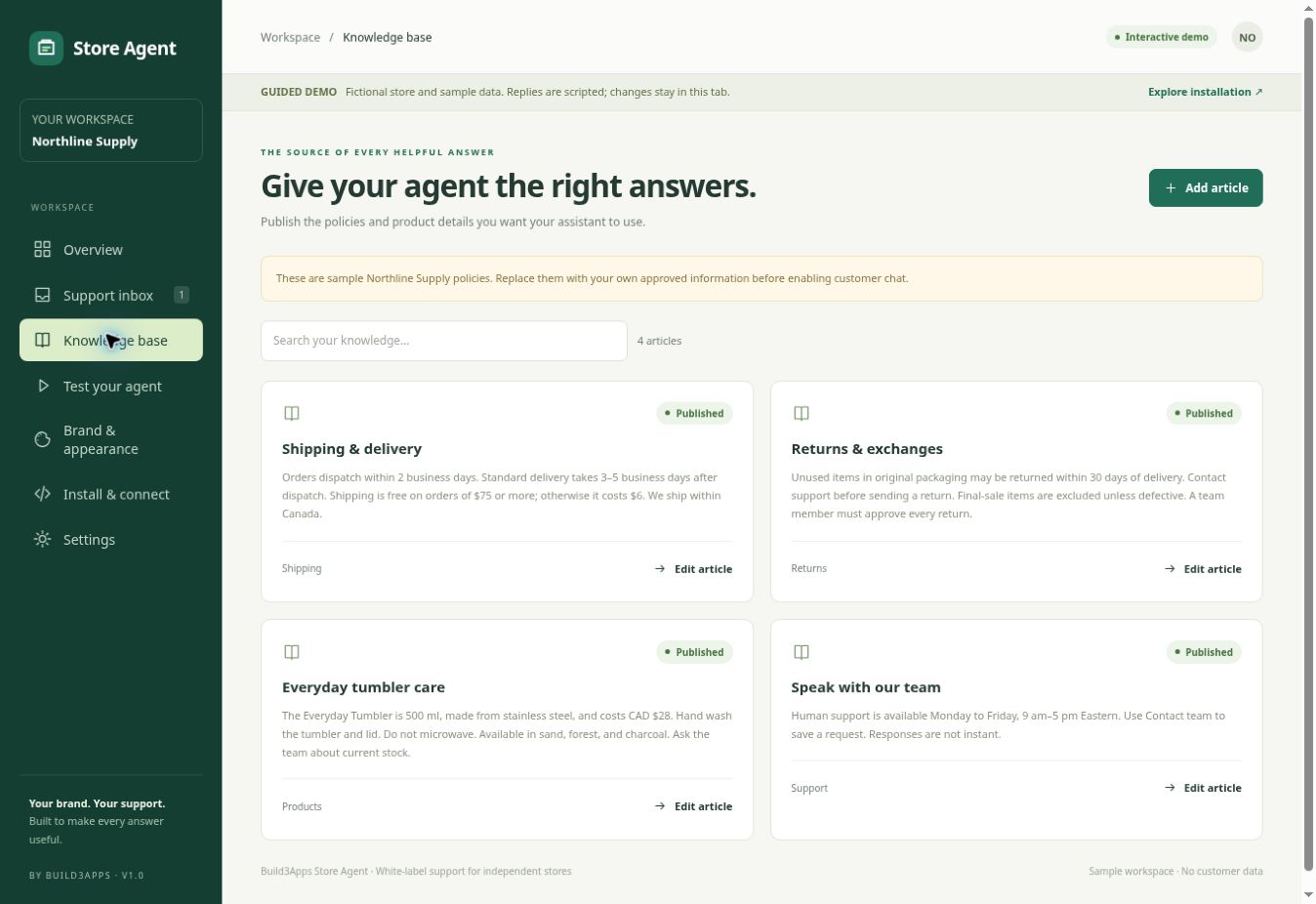
- A knowledge base of merchant-approved articles (shipping & delivery, returns & exchanges, product care, contact details) with categories, search and a Published status
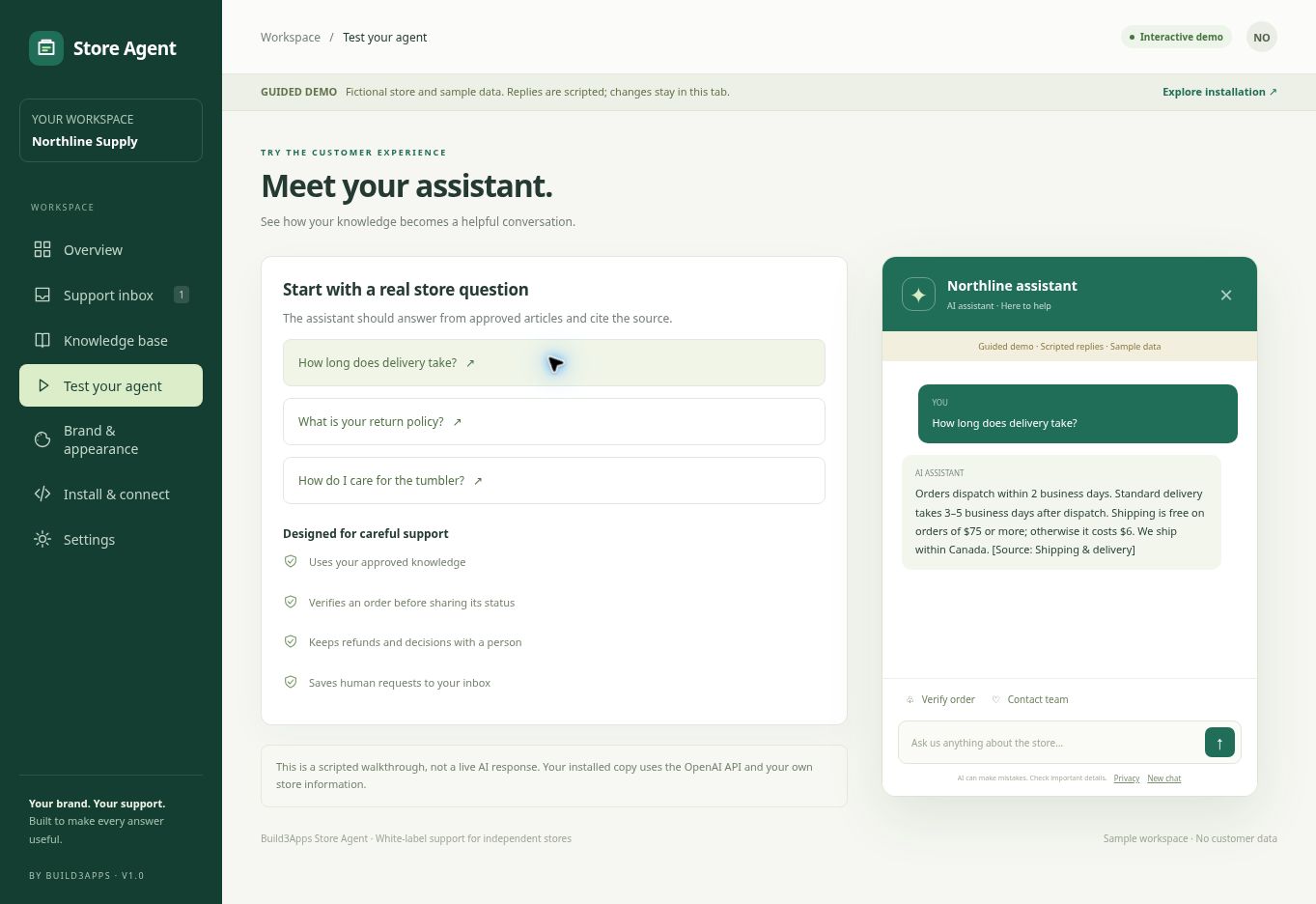
- The assistant searches approved articles before answering and cites its source (for example "[Source: Shipping & delivery]")
- A Test your agent screen for trying real store questions before enabling customer chat
Verified WooCommerce order status
- A separate Verify order form asks for the numeric order ID, order key and billing email
- The server checks these against a read-only WooCommerce connection and returns only a limited status summary
- Websites without WooCommerce can use the knowledge-only widget without order lookup
Human handover and support inbox
- A Contact team form saves requests to the administrator's support inbox
- Refunds and decisions stay with a person, as the in-app checklist states
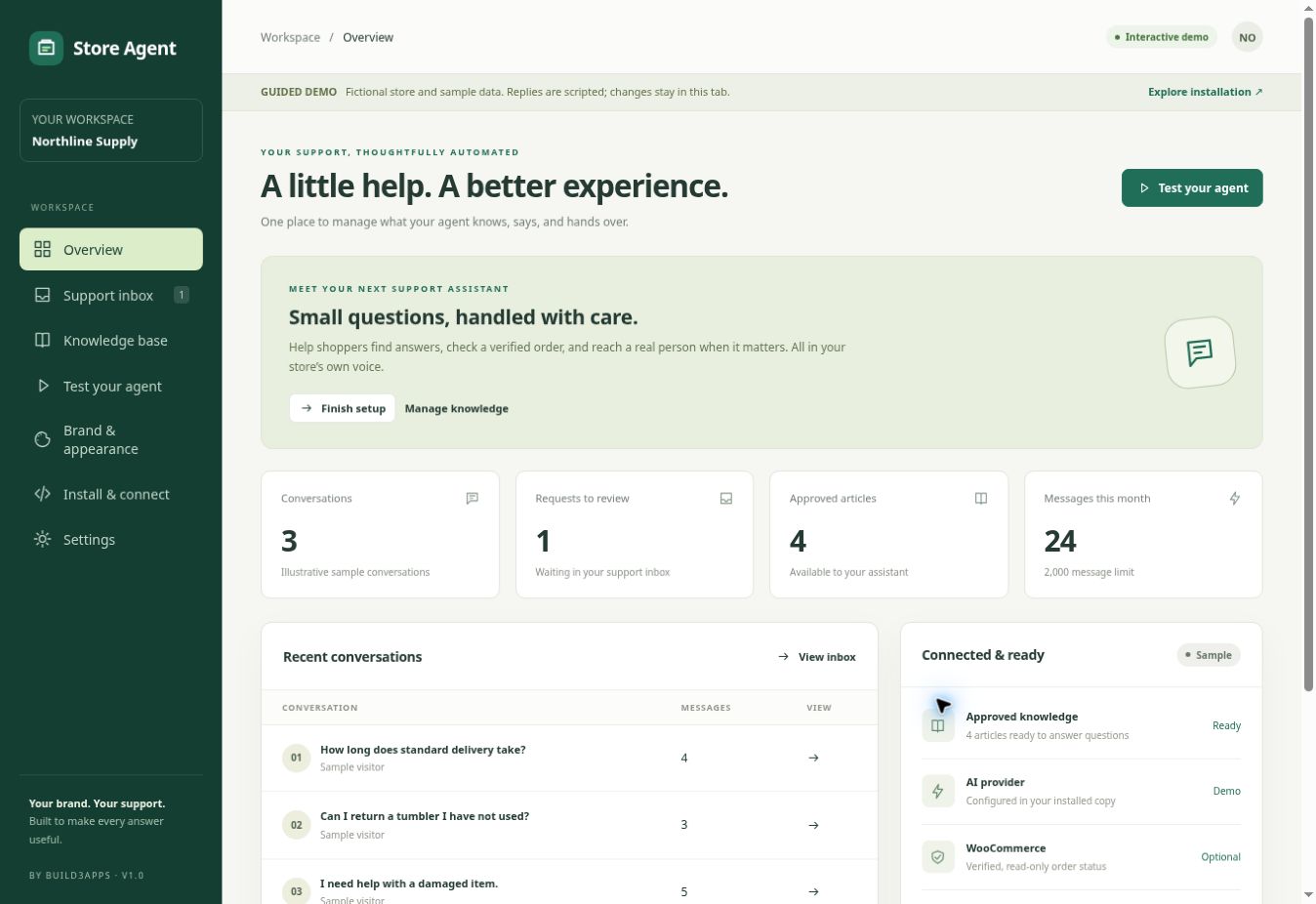
- Conversation history and a usage view (the demo shows a monthly message counter against a limit)
White-label branding
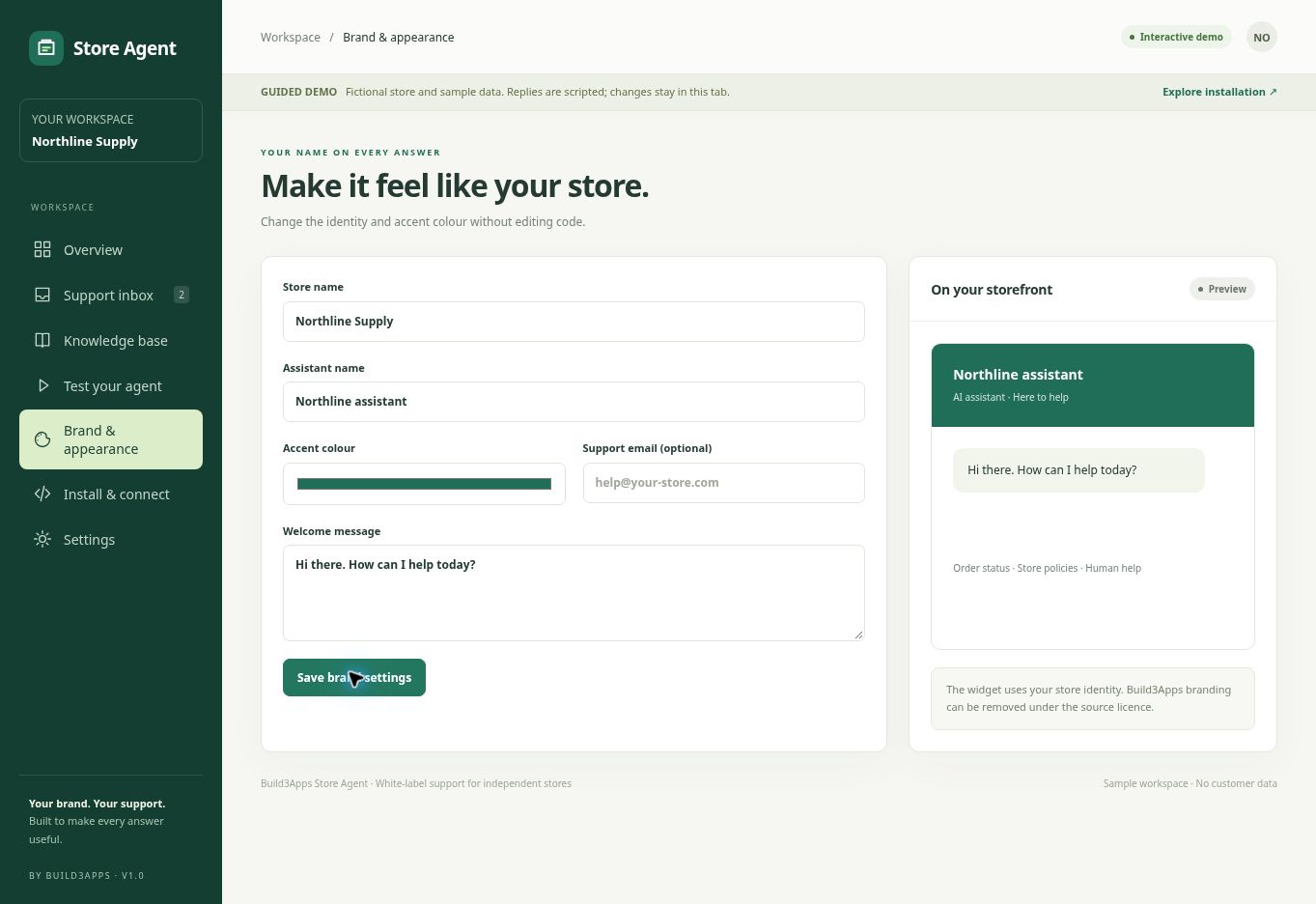
- Change the store name, assistant name, accent colour, welcome message and an optional support email from the dashboard, with a live storefront preview
- Build3Apps branding can be removed under the source licence
Choice of AI provider
- OpenAI, Anthropic Claude, Google Gemini or any OpenAI-compatible Chat Completions API (must support tool calling and at least 32k context)
- A private setup command (
npm run configure-api) selects the model and stores your API key without editing code - Usage is billed directly by your chosen provider; the widget itself contains no API key
Install anywhere
- A floating widget added with one
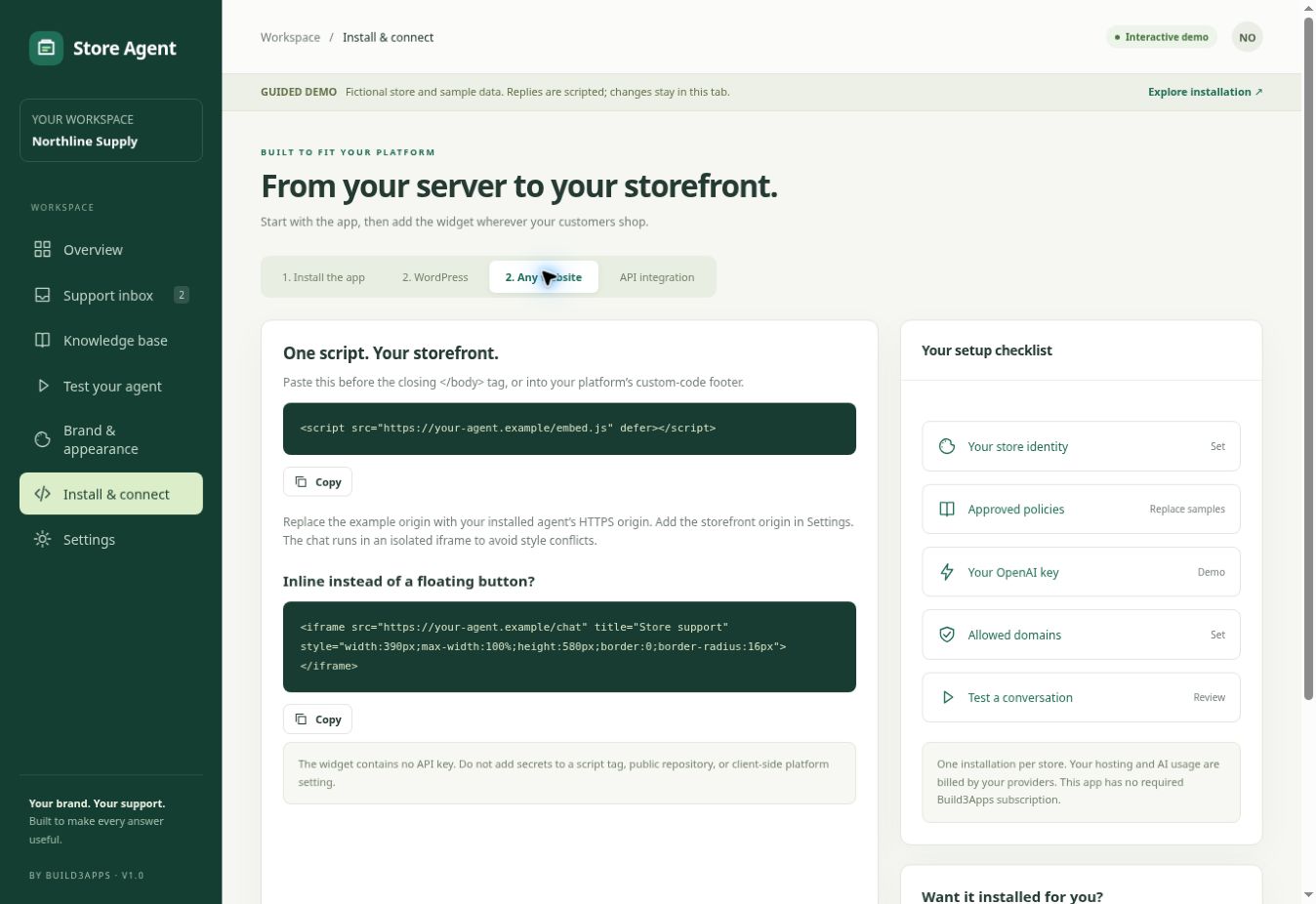
<script>tag, or an inline<iframe>embed - An included WordPress widget connector plugin (ZIP) and an API integration guide
- The chat runs in an isolated iframe to avoid style conflicts, with an allowed-domains setting
Who it is for
- Independent WooCommerce shops that want to answer repeated shipping, returns and product-care questions in their own brand
- Web agencies buying one licence for a named client and installing it next to the client's existing storefront
- Other websites that want an approved-knowledge support widget without order lookup
- Best suited to a single store with a team member who regularly reviews the support inbox
How it works
- Unzip the package on a Node.js 24 server with persistent storage and run the setup command to generate the configuration and admin password.
- Run
npm run configure-apito choose your AI provider and model and paste your own key. - Install the locked dependencies, build, start the service and configure HTTPS (a Docker Compose recipe is also included).
- Sign in, set your brand and replace the fictional sample articles with your approved store information.
- Add your storefront origin, test conversations and enable customer chat.
- Install the widget with the script tag, the iframe or the WordPress connector.
Ways to monetize
For an agency, the obvious model is selling a branded installation plus a monthly care plan to a client store. The licence covers one business or one named-client end product, though. Serving several clients means buying a licence for each.
Technology
Node.js 24 · TypeScript · eve · SQLite · OpenAI / Anthropic Claude / Google Gemini / OpenAI-compatible APIs · WooCommerce (read-only) · WordPress connector plugin · JavaScript, HTML & CSS widget · Docker Compose
What you get
- Original backend and interface source code
- Branded admin dashboard: overview, knowledge editor, conversation history, support inbox, usage view, brand settings
- Floating website widget, inline embed and WordPress widget connector (GPL-2.0-or-later)
- API guide, setup script, Docker recipe and tests
- 30 days of installation and reproducible-defect support
- Optional: a US$999 branded installation on your hosting (brand setup, one widget placement, your AI provider and WooCommerce connection, up to ten of your articles, testing and handover)
Good to know
- New and pre-revenue. The seller states there are no existing customers or revenue. The seller reports the backend passed a live OpenAI conversation test, 20 automated checks and 9 acceptance checks.
- Licence, not ownership. US$299 buys a non-exclusive commercial source licence for one business or named-client end product. Exclusive ownership and resale of the source as a template or clone are not included.
- Hosting. It needs a Node.js 24 server with persistent storage. PHP-only shared hosting is not enough; the WordPress plugin only connects to the separately running backend. One store per installation.
- Your own accounts. You supply the AI provider key, hosting, domain and WooCommerce credentials. AI usage is billed by your provider.
- Validation. Only OpenAI has been validated live. The other AI adapters, live WooCommerce/WordPress staging and the Docker recipe still need testing on your setup. The demo screens refer to "Your OpenAI key", so confirm the multi-provider setup with the seller.
- Demo. The public demo uses a fictional store, sample data and scripted replies, not live AI responses.
- Not included. Email/CRM delivery of support requests, refunds, payments, carrier tracking, catalogue sync and 20-agent load testing.
Demo
What's included
- Admin Panel
- Website
Documentation
Sign in to the dashboard, set your brand and replace the fictional sample articles with approved store information. Add the storefront origin, test conversations and enable customer chat. Install the widget with a script, iframe or the included WordPress connector ZIP.
The AI searches approved articles before answering store questions. For order status, the visitor enters the numeric internal order ID, order key and billing email in a separate verification form. The server checks these against a read-only WooCommerce connection and returns only a limited status summary. A Contact team form saves a support request to the administrator inbox. The buyer owns the hosting, credentials, backups and ongoing operation.
Support
Included: 30 days
Contact the publisher
Reviews
No reviews yet.