Build3Apps Simple Chat: White-Label AI FAQ Chatbot for Websites (Node.js + OpenAI Source Code)
Simple Chat is a self-hosted AI FAQ chatbot for small-business websites. Owners write up to 60 FAQs and set their branding; visitors ask through a chat page or floating widget and get answers grounded in those FAQs, with a contact fallback. Node.js, SQLite and the OpenAI Responses API, with no npm runtime dependencies.
Screenshots
About this product
Most small-business websites get the same handful of questions every day: When are you open? Where do you ship? What is the return policy? Do I need experience to book a class? Each one lands in the inbox or on the phone, and someone has to type the same answer again. Off-the-shelf chatbot platforms can handle this, but they usually come with a monthly subscription, a vendor's branding in the corner and very little control over what the bot says.
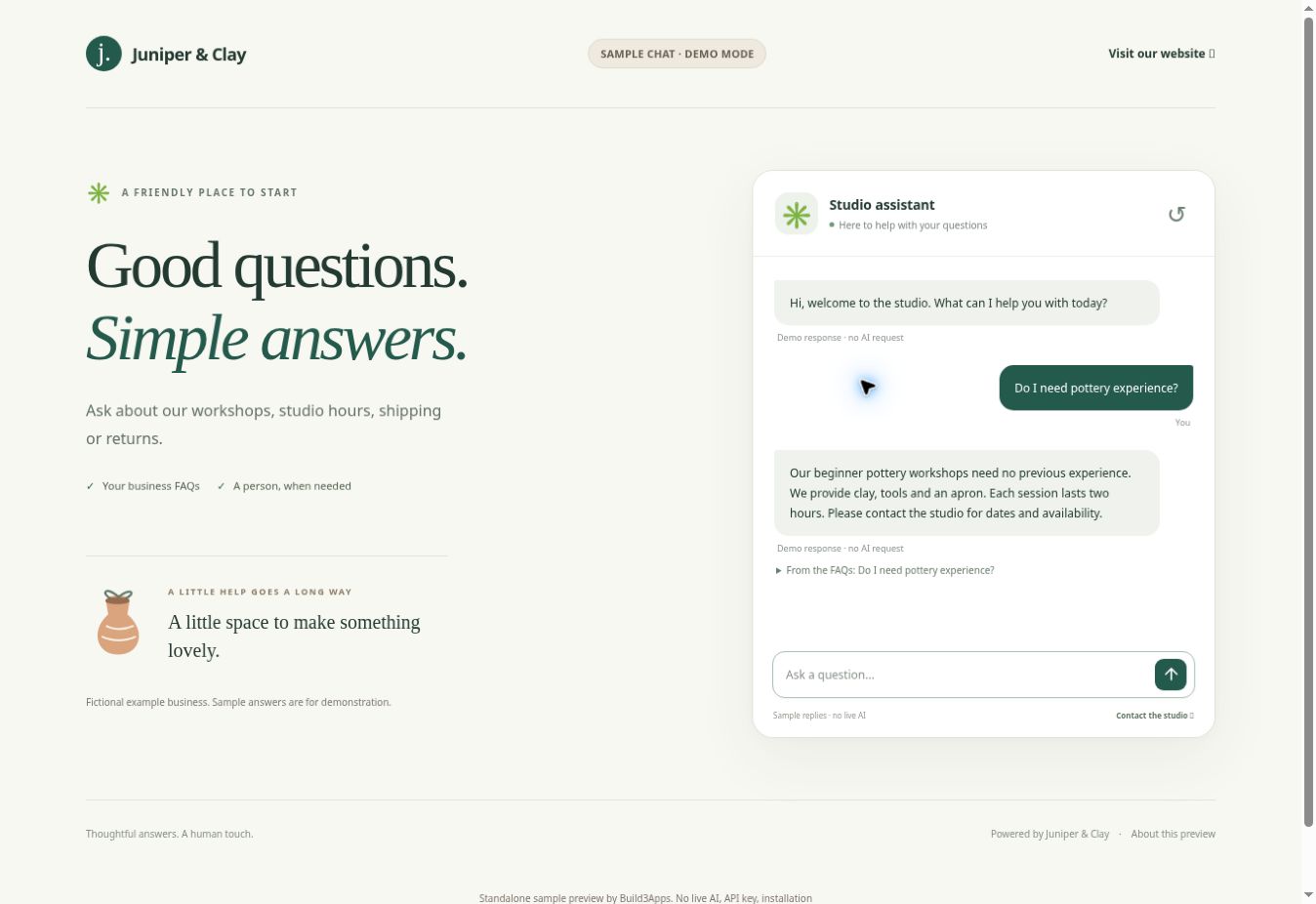
Build3Apps Simple Chat is a white-label AI FAQ chatbot that you host yourself. The business owner writes up to 60 questions and answers in a password-protected settings screen. Visitors ask in plain language through a standalone chat page or a floating website widget. The assistant answers from those FAQs only, can show the FAQ text it relied on, and points visitors to the business's own contact link when the answer is not there. The OpenAI key stays on the server, and the code is yours to rebrand for one business.
Features
Visitor chat
- A responsive standalone chat page with the business name, logo, tagline and welcome message
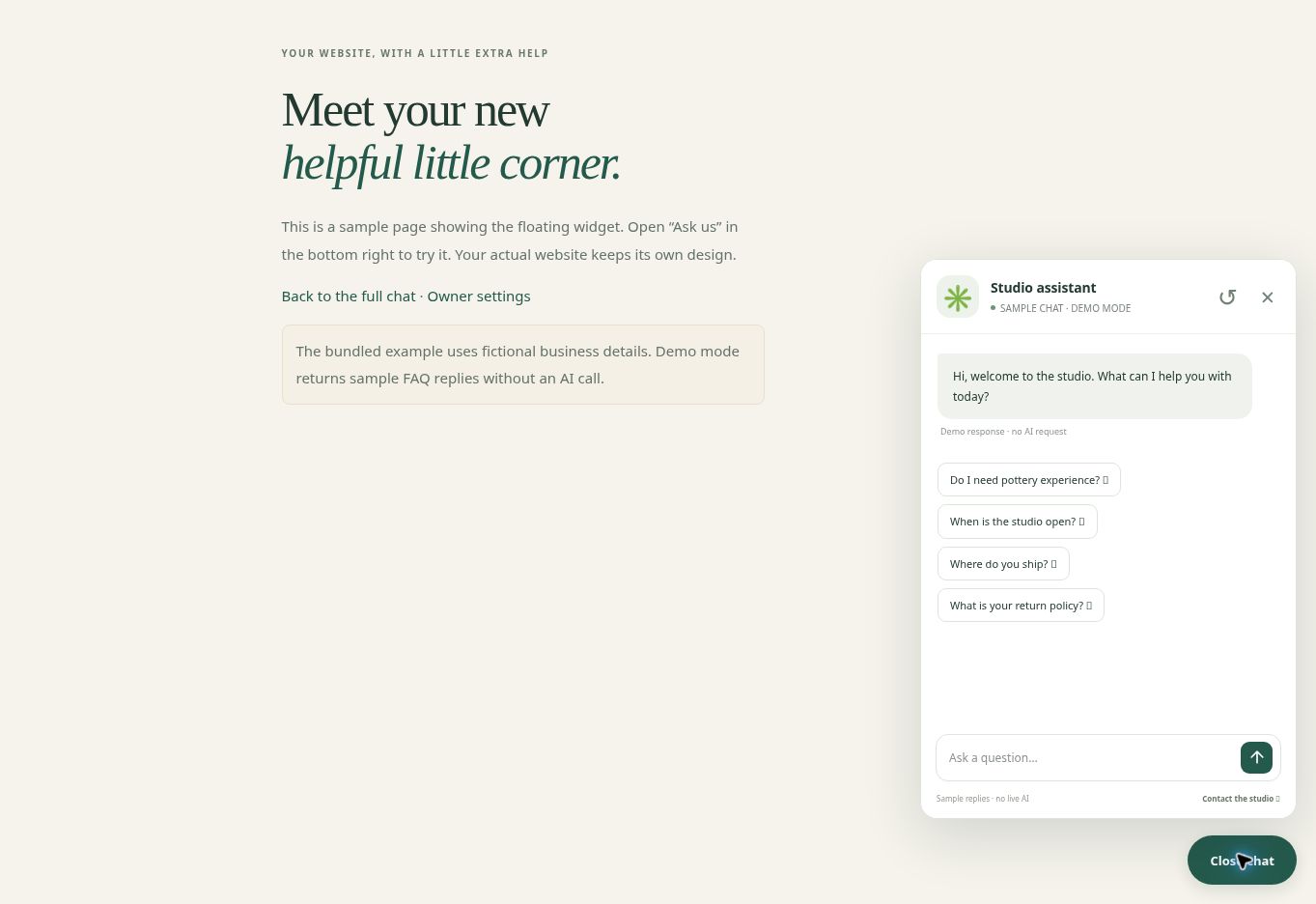
- A floating website widget (a button that opens the chat panel) plus an inline iframe option
- Suggested starter questions in the widget, such as opening hours, shipping and returns
- Answers can show a "From the FAQs" reference to the entry they were based on
- A contact button that opens the business's email link or contact page when a person is needed
- A reset button to start a fresh conversation
Grounded AI answers
- In live mode, the server selects the relevant FAQ entries and sends the question, a short session history and those entries to the OpenAI Responses API
- The model is instructed to answer within the supplied facts and return the IDs of the FAQs it used. Invalid sources and uncertain answers fall back to a human-contact message
- The API key is kept server-side and is never sent to the browser
- A daily AI cap (500 attempts in the demo settings) and persistent chat allowances limit request volume
- A demo mode with scripted FAQ matching and no AI calls, for previews and testing
Owner settings
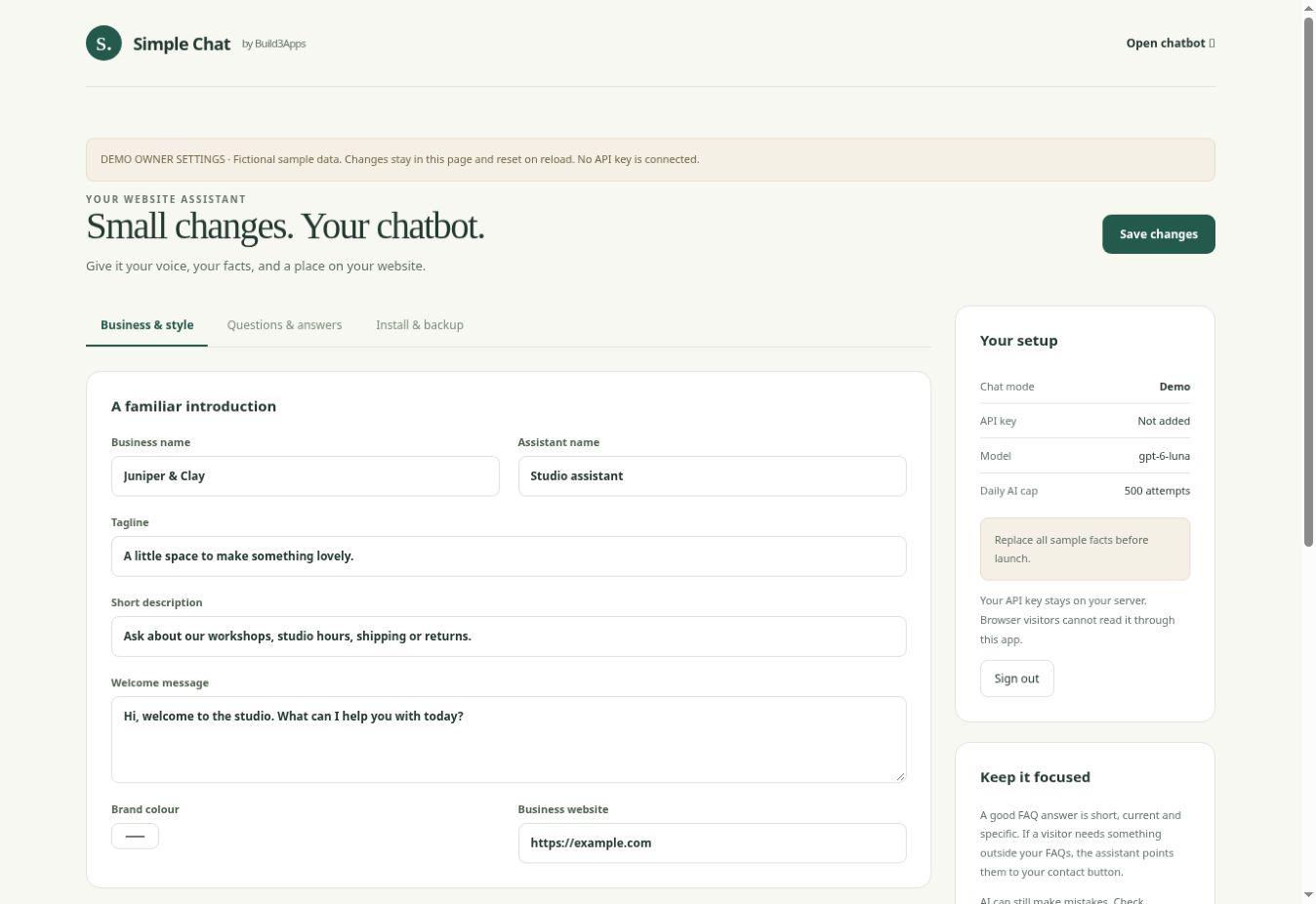
- Business & style: business name, assistant name, tagline, short description, welcome message, brand colour and business website
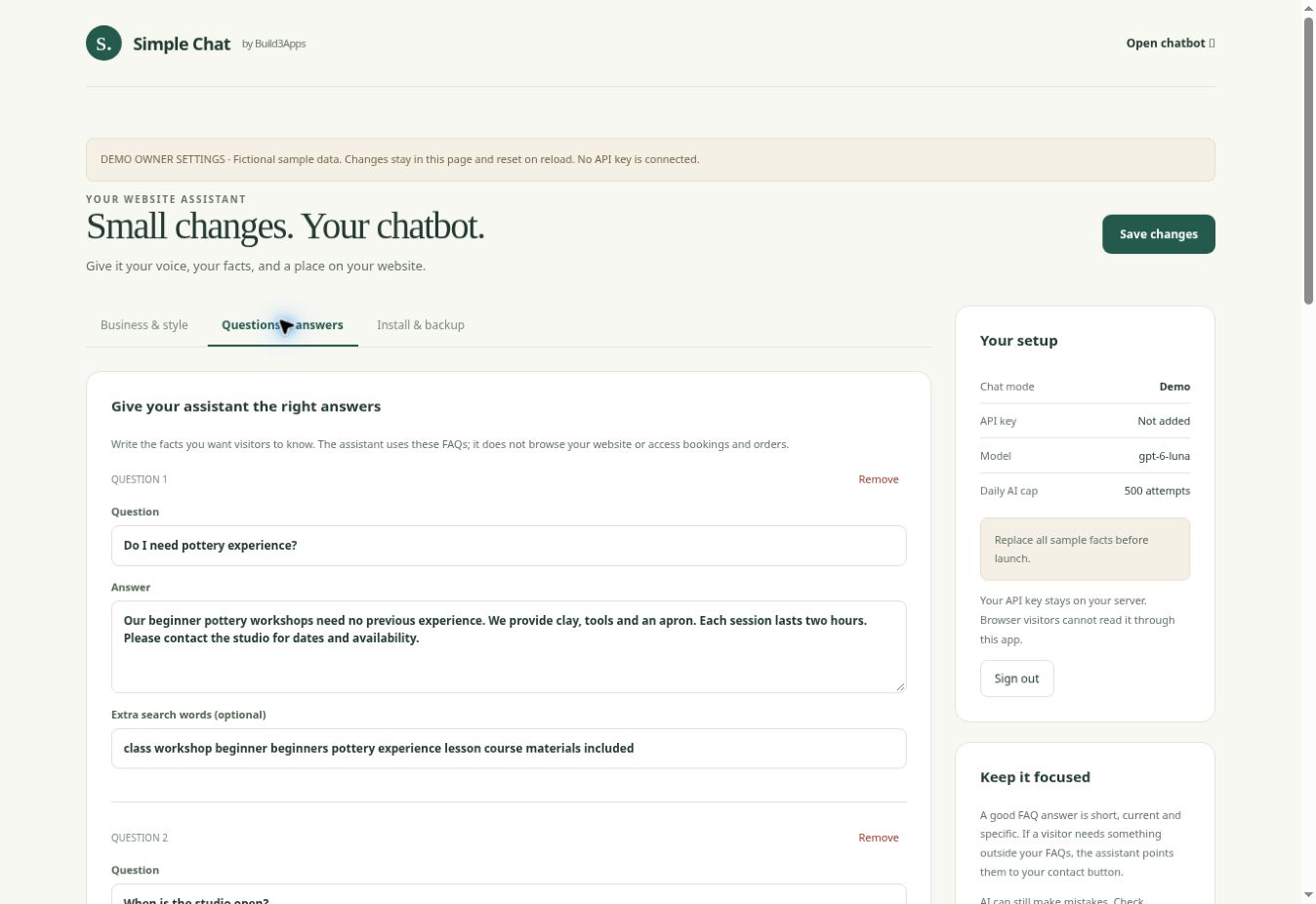
- Questions & answers: up to 60 FAQs, each with a question, an answer and optional extra search words
- Install & backup: a generated HTML snippet for the widget, locked to an approved website origin, plus settings export and import
- A setup panel showing chat mode, API key status, model and daily AI cap, with a reminder to replace all sample facts before launch
- First-time setup generates unique owner credentials. Live mode requires the owner to confirm the sample content has been replaced
Who it is for
- Small businesses such as shops, studios, salons, clinics and local services that answer the same website questions repeatedly
- Web designers and agencies that want to add a branded FAQ assistant to a client site (one licence per client business)
- Developers who want a small, dependency-free Node.js reference for a grounded LLM chatbot
How it works
- Deploy the Node.js 24 server on a host with persistent disk and HTTPS.
- Run first-time setup to create the owner login, then add your OpenAI API key to the server environment.
- Enter the business details, brand colour and welcome message, and replace the sample FAQs with your own.
- Test representative questions, then switch from demo mode to live mode.
- Paste the generated snippet into your website (WordPress or any site you control) to show the floating widget, or link to the standalone chat page.
Ways to use it commercially
The licence covers one business. A web agency could buy a licence per client and charge for setup, FAQ writing and hosting. The seller's terms do not allow reselling or redistributing the source kit itself.
Technology
Node.js 24 (built-in HTTP server, no third-party npm runtime dependencies, no build step) · SQLite · JavaScript · HTML5 · CSS3 · OpenAI Responses API · optional Docker recipe
What you get
- Full original source code for the chat page, widget, owner settings and server
- Tests and a setup guide
- A single-business, non-exclusive white-label licence
- 30 days of seller support by email
Good to know
- Licence, not ownership. US$50 buys a non-exclusive licence for one business. Build3Apps keeps the product and can sell more licences, and you may not resell the source kit.
- Pre-revenue. The seller describes this as a new product with no verified customers or sales. The screenshots show a fictional business ("Juniper & Clay") in demo mode.
- Your own costs. You pay for hosting, a domain, HTTPS and OpenAI API usage. Installation and ongoing maintenance are not included in the price.
- Hosting limits. It needs one Node.js server with persistent disk. It is not a WordPress plugin, and as shipped it does not run on PHP-only shared hosting, static hosting, Vercel Functions or multiple server replicas.
- OpenAI only. Other AI providers are not included in this version. Confirm the default model setting with the seller and choose one your OpenAI account can use.
- FAQ answers only. It does not crawl your website, look up orders, take bookings, send emails, process payments or provide staffed live chat.
- Docker untested. The seller says the optional Docker recipe has not been run in their environment.
- AI can be wrong. Check your facts and test common questions before going live.
What's included
- Admin Panel
- Website
Documentation
In live mode, the server selects relevant FAQ entries and sends the visitor's question, limited session history and those entries to the OpenAI Responses API. The model is instructed to answer within the supplied facts and return supporting FAQ identifiers. Invalid sources and uncertain answers receive a human-contact fallback. No API key is sent to the browser. The default model is gpt-6-luna; other providers are not included in this version.
Demo mode uses scripted FAQ matching without making an AI request. Live mode also requires the owner to approve their replacement of sample content. A generated HTML snippet adds the floating iframe widget to an approved website origin. Owners can export and import business settings. Persistent chat allowances limit requests, while hosting, HTTPS, backups and provider billing remain the installation owner's responsibility.
Support
Included: 30 days
Contact the publisher
Reviews
No reviews yet.