Novara: Restaurant POS & Management Software for Restaurants, Bars and Cafés (Full Source Code)
Novara runs a restaurant from one app: tables and orders, a live kitchen display, cash register and card, cash or transfer payments, recipe-based inventory, reservations, delivery orders, finance and accounting, and role-based staff access. It works on Android, iOS, Windows and any browser, with the server and database built in, so there are no monthly cloud fees.
Screenshots
About this product
Most restaurant software is rented. Owners pay a monthly subscription per terminal, their data lives on someone else's cloud, and when the internet drops, so does the point of sale. Novara takes the opposite approach. It is a complete restaurant management and POS platform whose server and database are built into the application itself. There is no Supabase, Firebase or remote database, no monthly infrastructure cost, and no outage caused by a third party. The data stays with the restaurant.
Novara is designed for restaurants, bars, cafés and small food businesses, from a single location on one device up to a chain with several branches connected over a network. It runs on Android, iOS, Windows and any web browser, and is delivered ready to compile and publish with full source code, installers, technical documentation and its own domain.
Features
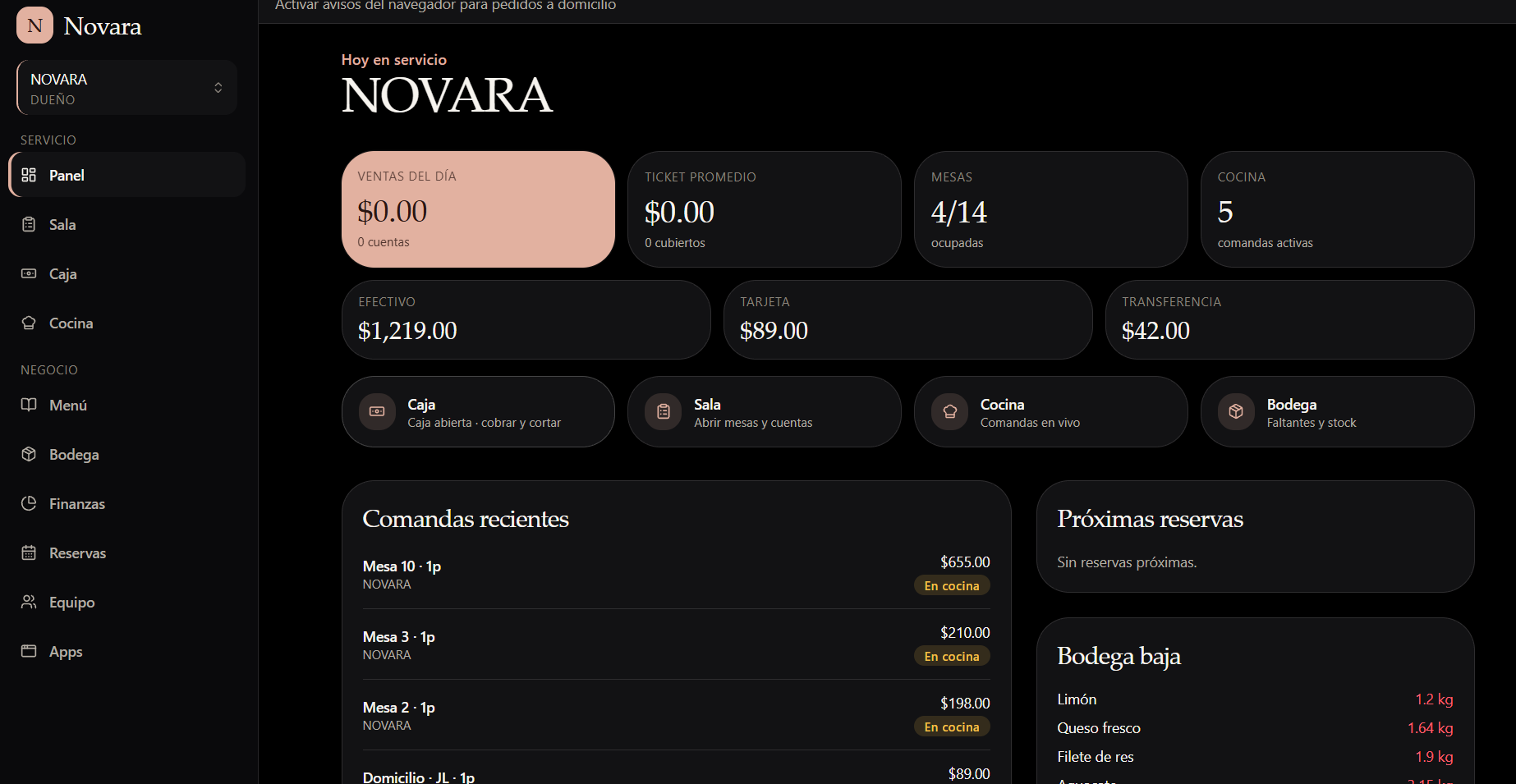
Dashboard (Panel)
- Today's sales, average ticket, covers and number of open bills
- Table occupancy and active kitchen orders
- Sales split by payment method: cash, card and bank transfer
- Recent orders with their kitchen status, upcoming reservations and low-stock alerts
Tables and orders (Sala)
- Open tables and bills, assign orders to tables, and track covers
- Delivery orders, with browser notifications for new home-delivery orders
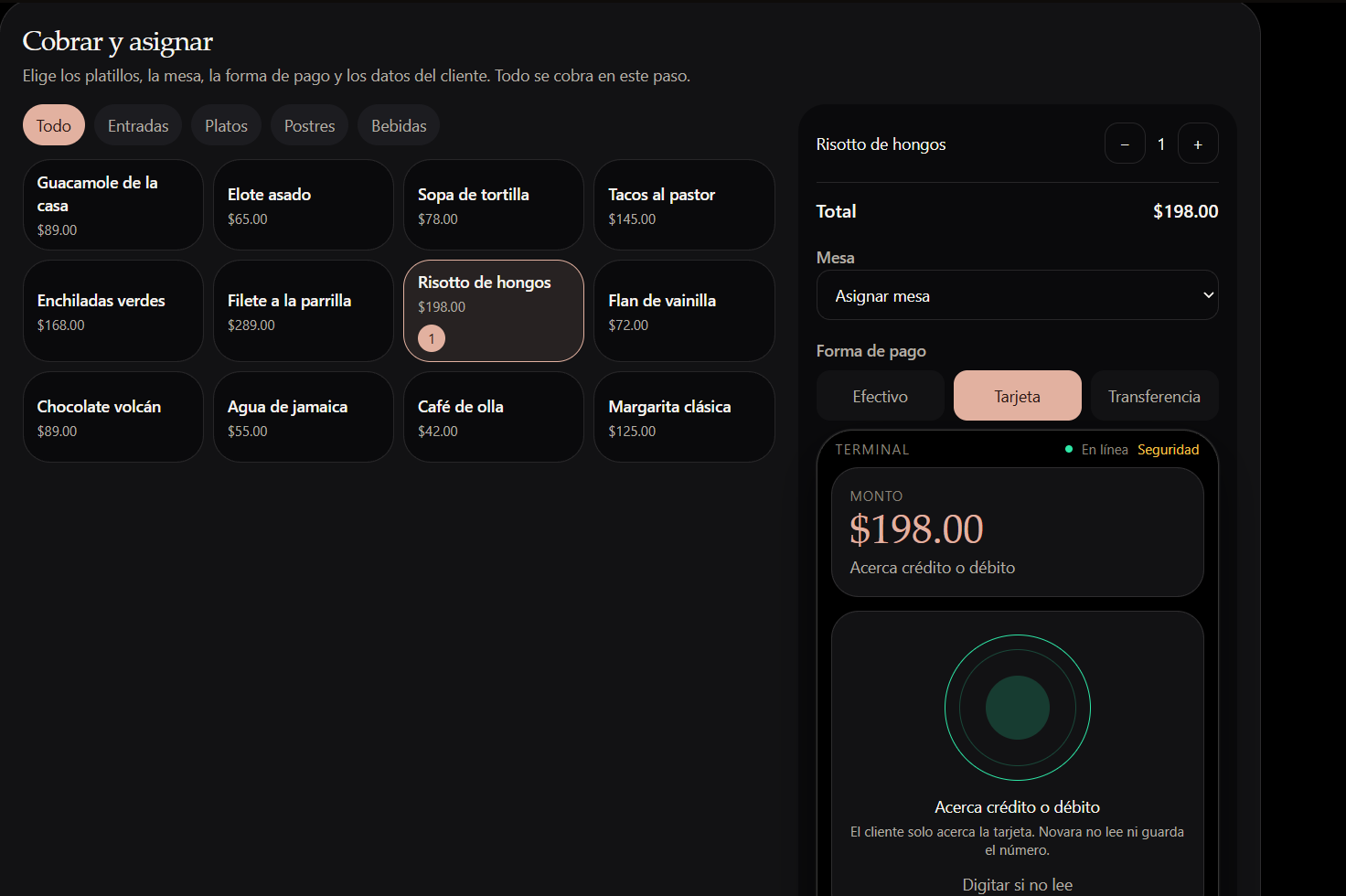
Cash register (Caja)
- Open the register, take payments and close the day with a cash cut
- Point of sale by menu category (starters, mains, desserts, drinks) with quantities and table assignment
- Cash, card and transfer payments. The card flow is a tap-to-pay terminal screen, and Novara never reads or stores the card number.
Kitchen display (Cocina)
- Live orders for the kitchen; cooks mark each order as ready
Digital menu (Menú)
- An interactive digital menu for customers, with prices and categories
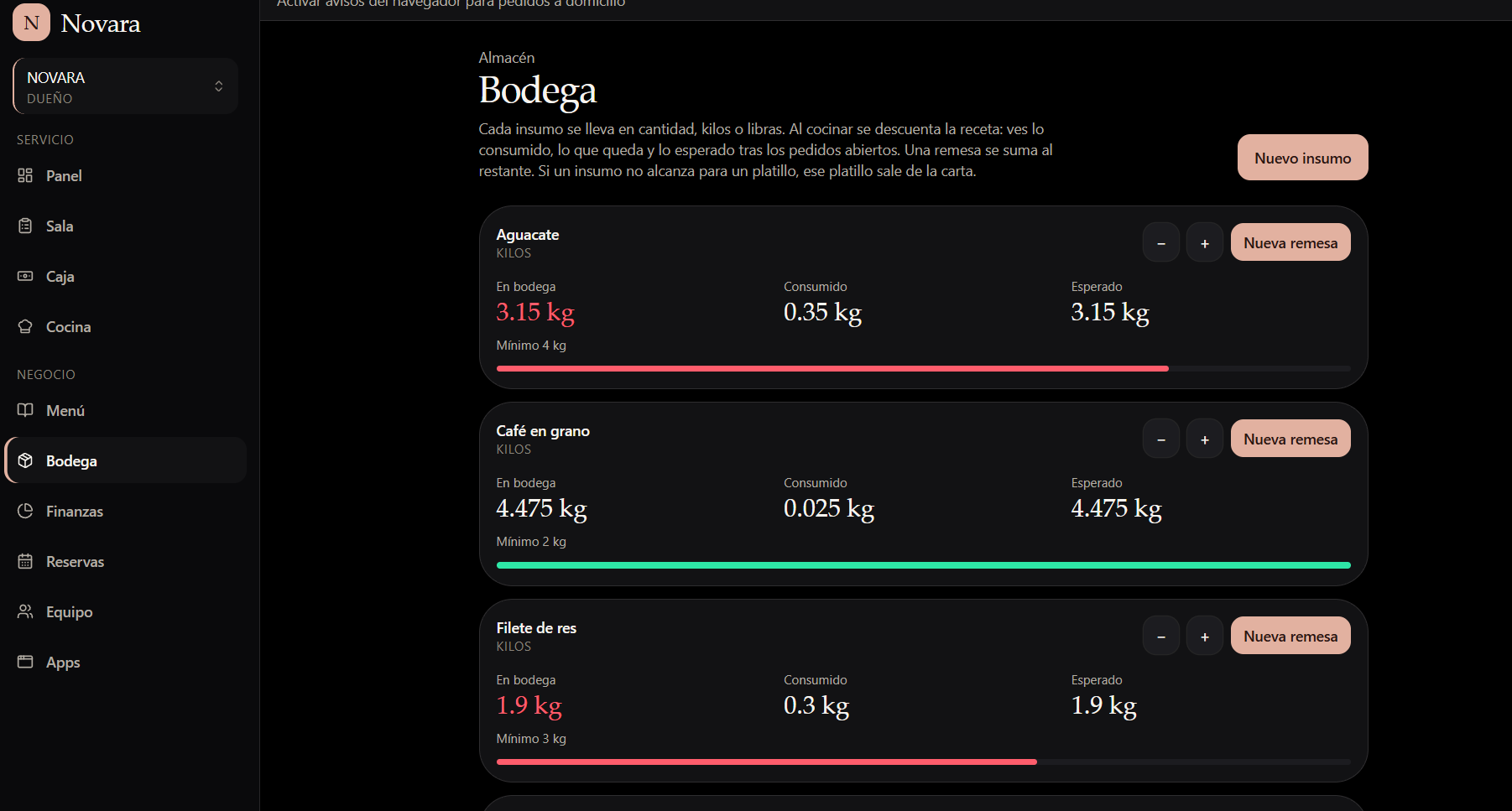
Inventory (Bodega)
- Track each ingredient by units, kilos or pounds
- Recipe-based stock deduction. Cooking a dish deducts its recipe from inventory, showing what has been consumed, what remains and the expected stock after open orders.
- Minimum-stock thresholds with low-stock alerts
- Restock deliveries added to stock
- Automatic menu control. If an ingredient runs short for a dish, that dish comes off the menu.
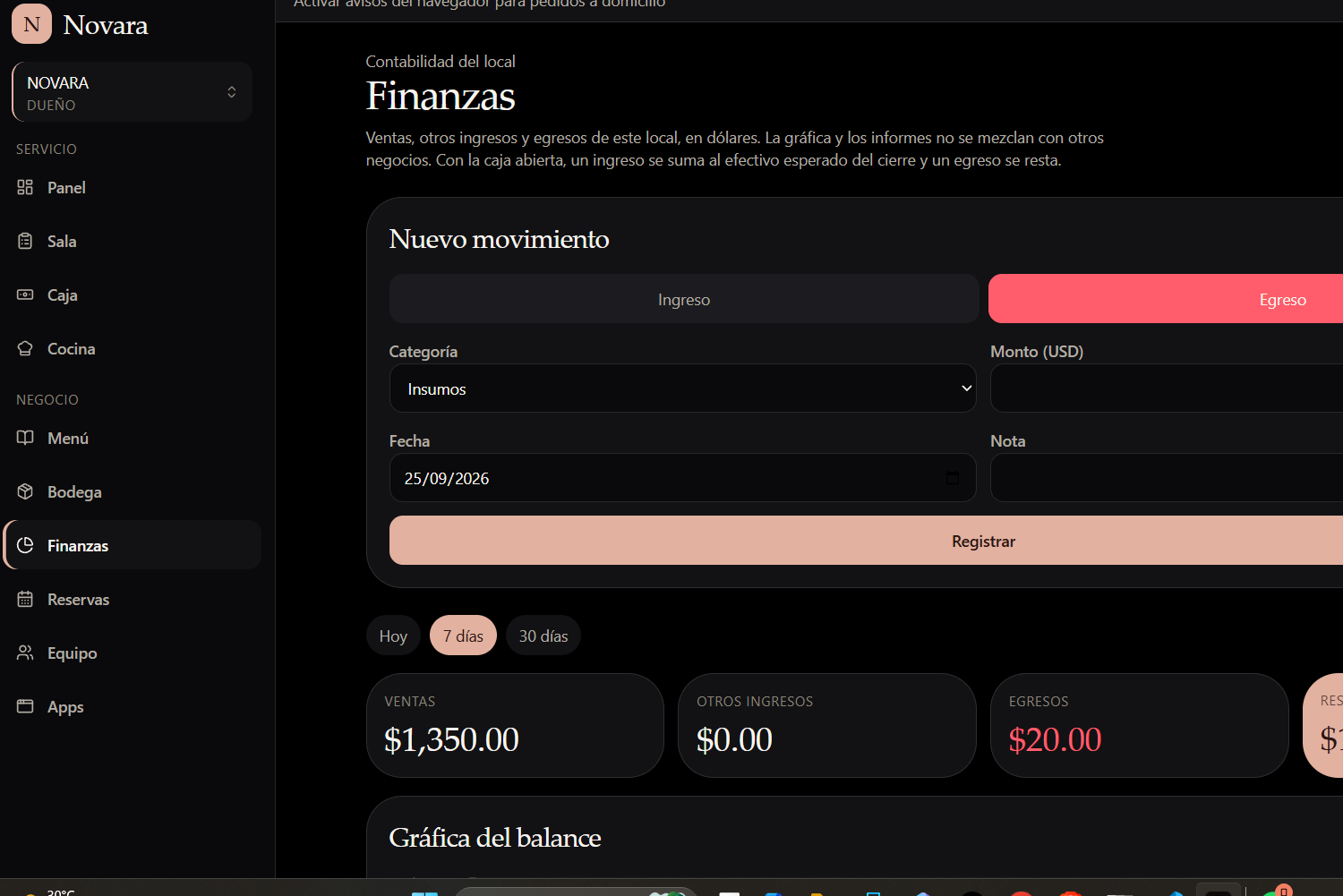
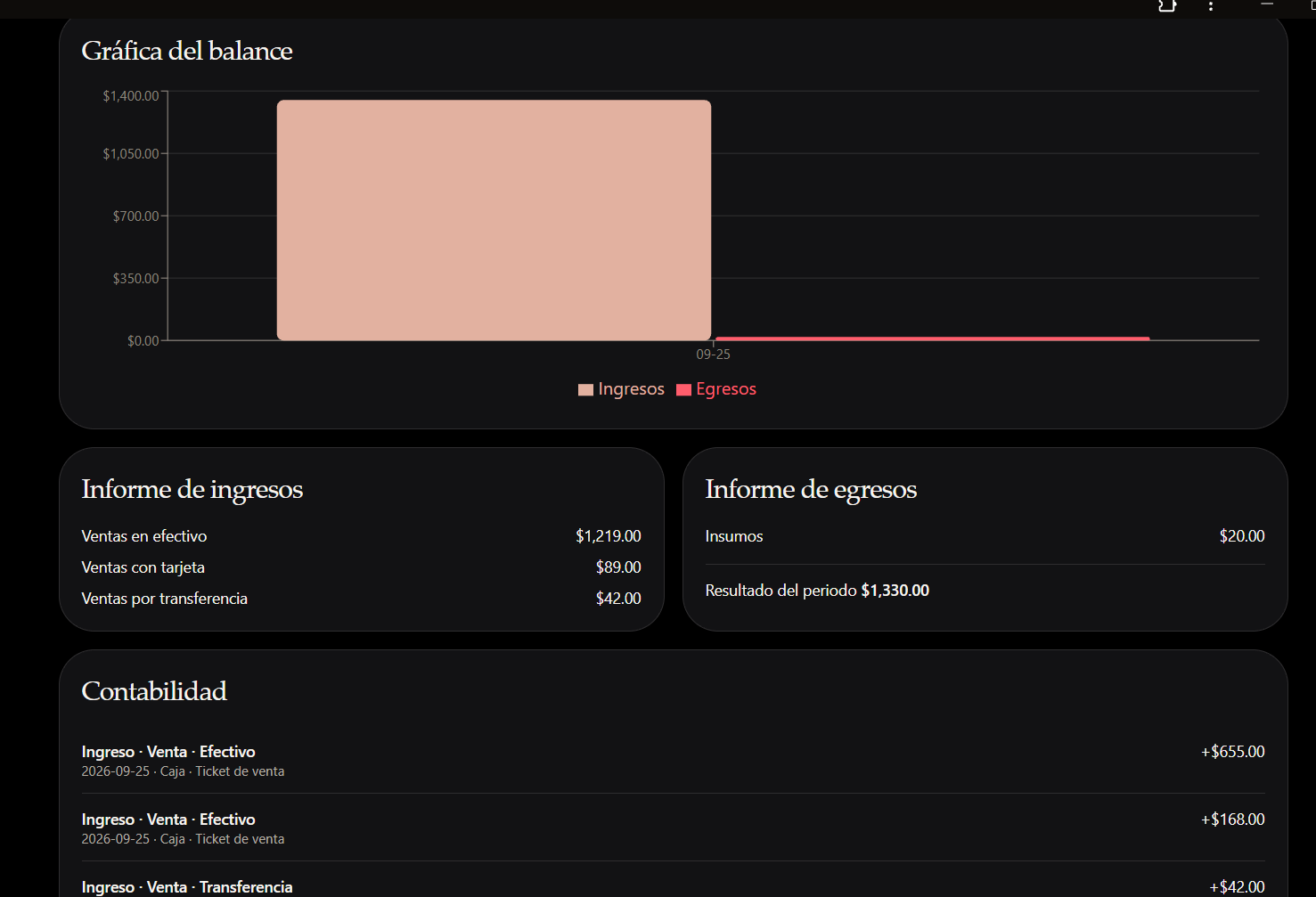
Finance and accounting (Finanzas)
- Record sales, other income and expenses by category
- Views for today, 7 days and 30 days
- Balance chart plus income and expense reports
- An accounting ledger of every movement, and period results
- Integrated with the register: with the register open, income is added to the expected cash at close and expenses are subtracted
- Each location's finances are kept separate
Reservations (Reservas)
- Manage and view upcoming table reservations
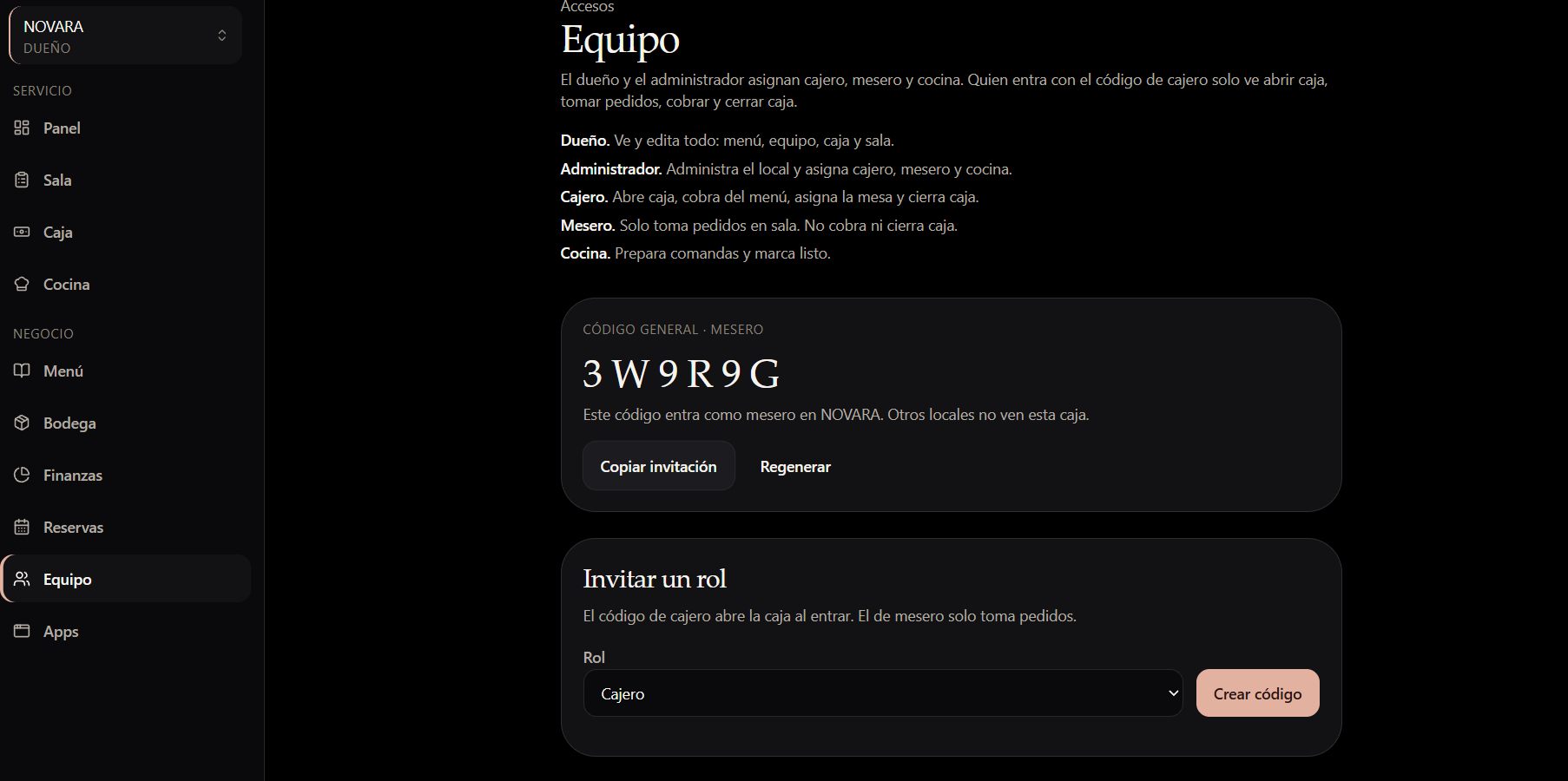
Team and roles (Equipo)
- Owner: sees and edits everything (menu, team, register and floor)
- Administrator: runs the location and assigns cashier, waiter and kitchen roles
- Cashier: opens the register, takes payments, assigns tables and closes the register
- Waiter: takes orders only, and cannot take payments or close the register
- Kitchen: prepares orders and marks them ready
- Staff join with per-role invitation codes, and each location's register is isolated from the others
Multi-location
- Run several branches, switch between locations, and see each branch's finances from any device
Why Novara
- No monthly cloud fees. The server starts automatically with the app, and the database is a single local file that is easy to back up or move.
- Private by design. All processing happens on the restaurant's own devices, and no data is sent to third-party servers.
- Four platforms, one codebase: Android, iOS, Windows desktop and web.
- Scales from one café to a chain by running on a single device or across a local network.
- Ready to sell. A finished product for a large market, ready to rebrand and commercialise.
Who it is for
- Software entrepreneurs who want to sell restaurant POS software, especially in Spanish-speaking markets
- POS resellers and hospitality IT providers
- Restaurant groups that want to own their system instead of renting it
- Agencies building software for bars, cafés, food trucks and dark kitchens
Technology
TypeScript · JavaScript · CSS · SQL · an embedded server and local database · native builds for Android, iOS and Windows, plus a web interface
What you get
- Complete source code
- Installable builds for Android, iOS, Windows and web
- Admin panel
- Technical documentation
- Build tools for compiling and deploying
- Its own domain
- 30 days of seller support
En español
Novara es un software para restaurantes, bares y cafeterías con punto de venta (POS), control de caja, comandas a cocina en vivo, carta digital, bodega con descuento automático por receta, reservas, pedidos a domicilio, finanzas y contabilidad, y roles de equipo (dueño, administrador, cajero, mesero y cocina). Funciona en Android, iOS, Windows y navegador web, con el servidor y la base de datos integrados en la propia aplicación: sin mensualidades de infraestructura y con los datos bajo control del negocio. Soporta una sola sucursal o varias conectadas en red. Se entrega con código fuente completo, instaladores, documentación técnica y dominio propio.
Good to know
- The interface is in Spanish. Translating it for other markets is a customisation task.
- Card payments need your own processor or terminal. Novara shows a tap-to-pay screen and records the payment method, so connect the card processor or terminal for your country.
- Fiscal and e-invoicing rules differ by country (e.g. CFDI in Mexico, DIAN in Colombia). Add the local integration you need.
What's included
- Admin Panel
- Website
- Android
- Ios
- Desktop
Documentation
Support
Included: 30 days
Contact the publisher
Reviews
No reviews yet.