Hatrio AI Store: AI Store Builder & Landing Page Generator SaaS Source Code
Hatrio AI Store turns a plain-language product description into a storefront page with sections, galleries and copy. Merchants can start from AI or from templates, refine the design in a visual style inspector with mobile previews, and accept payments through Stripe Connect with a platform fee. Svelte website and admin panel source code.
Screenshots
About this product
Launching an online store or a product landing page still takes too long. A seller with one good product has to write the copy, pick a layout, find a designer or wrestle with a theme, then wire up payments before a single order can come in. Agencies face the same work for every client, and most of it is repetitive: a hero, a feature list, a gallery, testimonials, an FAQ and a buy button.
Hatrio AI Store is a multi-tenant AI store builder SaaS that shortens that path. A user describes the product in plain language, chooses a visual style and a generation mode, and the AI writes a conversion-focused storefront page with sections, galleries and copy. They can also skip the AI and start from a professionally designed template, fine-tune it in a visual style inspector, and accept payments through Stripe Connect. Each store gets its own address on the platform (for example hatrio.store/altabloom), so one installation serves many merchants.
Features
AI store generator
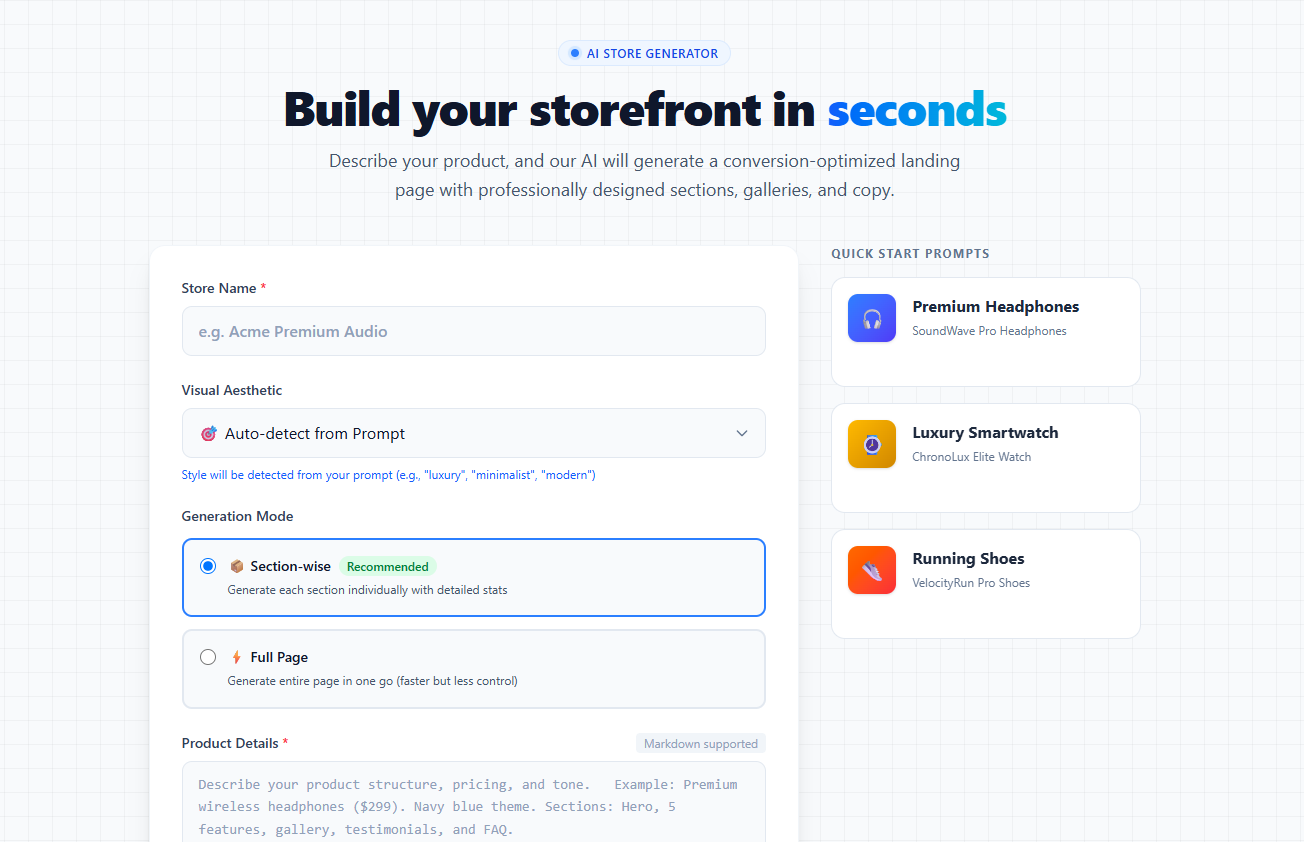
- "Build your storefront in seconds" form: store name, visual aesthetic and a Markdown-supported product details prompt
- Visual aesthetic auto-detection from the prompt (e.g. "luxury", "minimalist", "modern"), or pick a style manually
- Two generation modes: Section-wise (each section generated individually, marked as recommended) or Full Page (the whole page in one pass, faster but with less control)
- Quick-start prompts such as premium headphones, a luxury smartwatch and running shoes
- Generated pages include headlines, product benefits, calls to action and trust-building sections, according to the seller
Template library
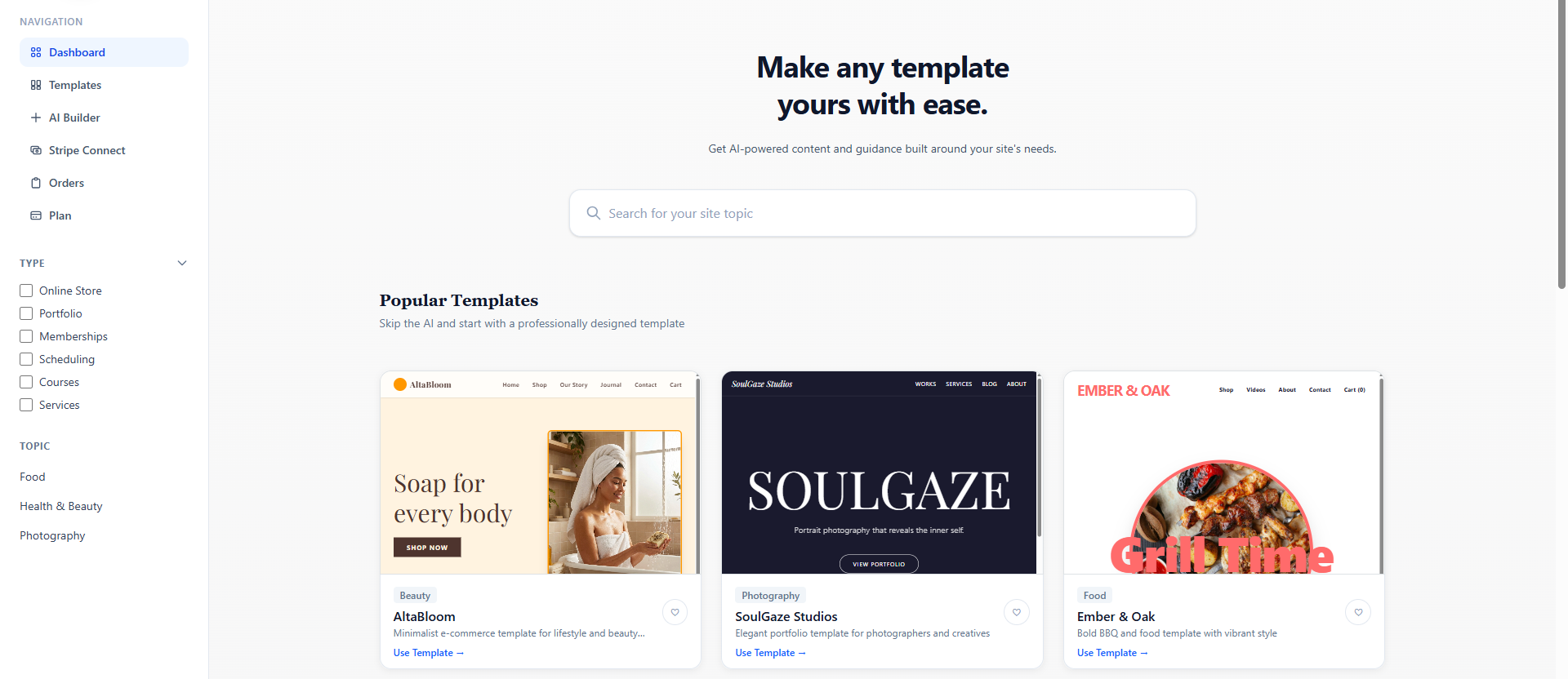
- A "Make any template yours with ease" gallery with a site-topic search
- Filters by type (Online Store, Portfolio, Memberships, Scheduling, Courses, Services) and topic (Food, Health & Beauty, Photography)
- Ready-made templates shown in the screenshots include AltaBloom (beauty e-commerce), SoulGaze Studios (photography portfolio) and Ember & Oak (BBQ and food)
- Favourite a template and start from it with Use Template
Visual editor and style inspector
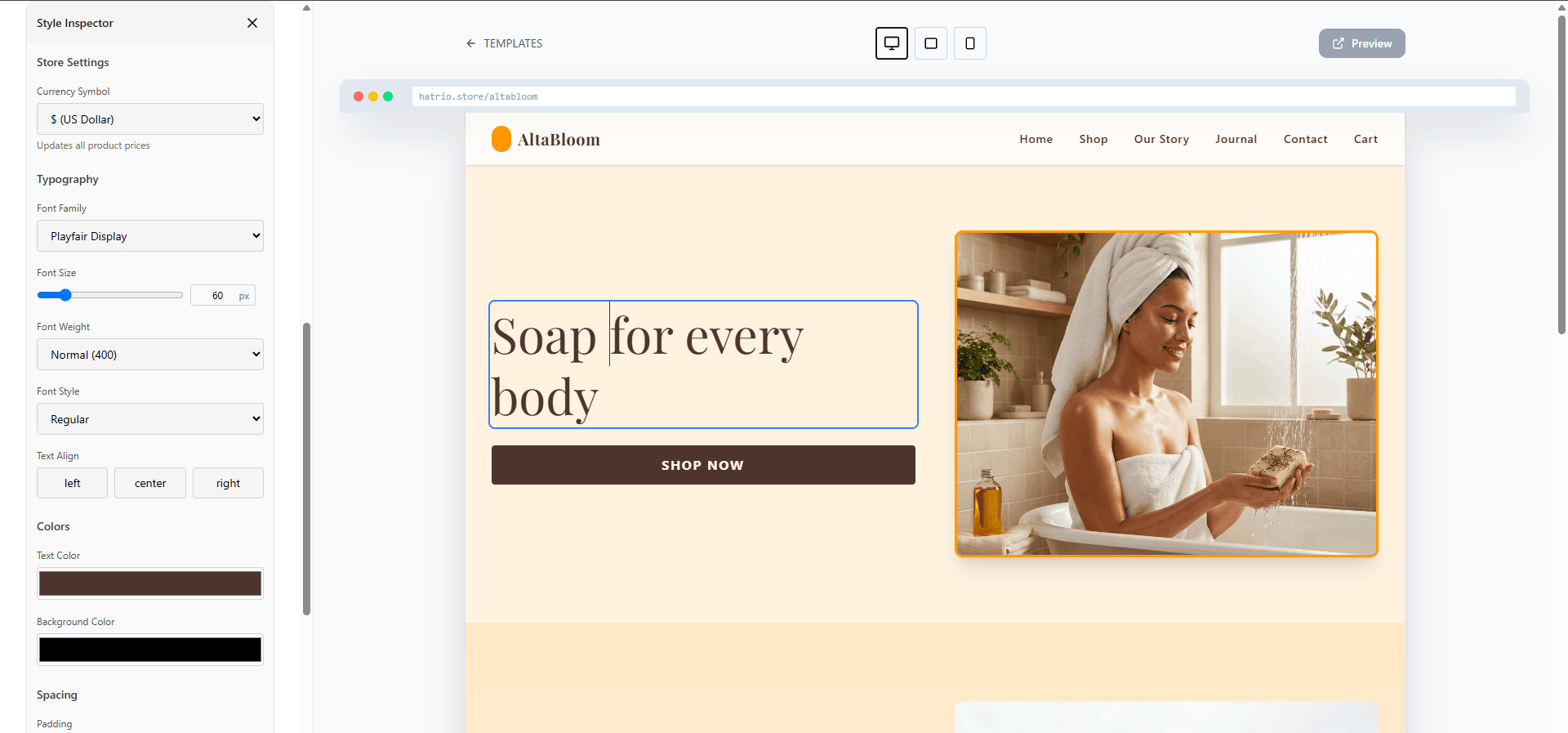
- Edit text in place on a live preview of the store
- Desktop, tablet and mobile preview toggles plus a full Preview button
- Store settings such as the currency symbol, which updates all product prices
- Typography controls: font family, size, weight, style and alignment
- Text and background colours, spacing and padding
Merchant dashboard and payments
- Merchant navigation for Dashboard, Templates, AI Builder, Stripe Connect, Orders and Plan
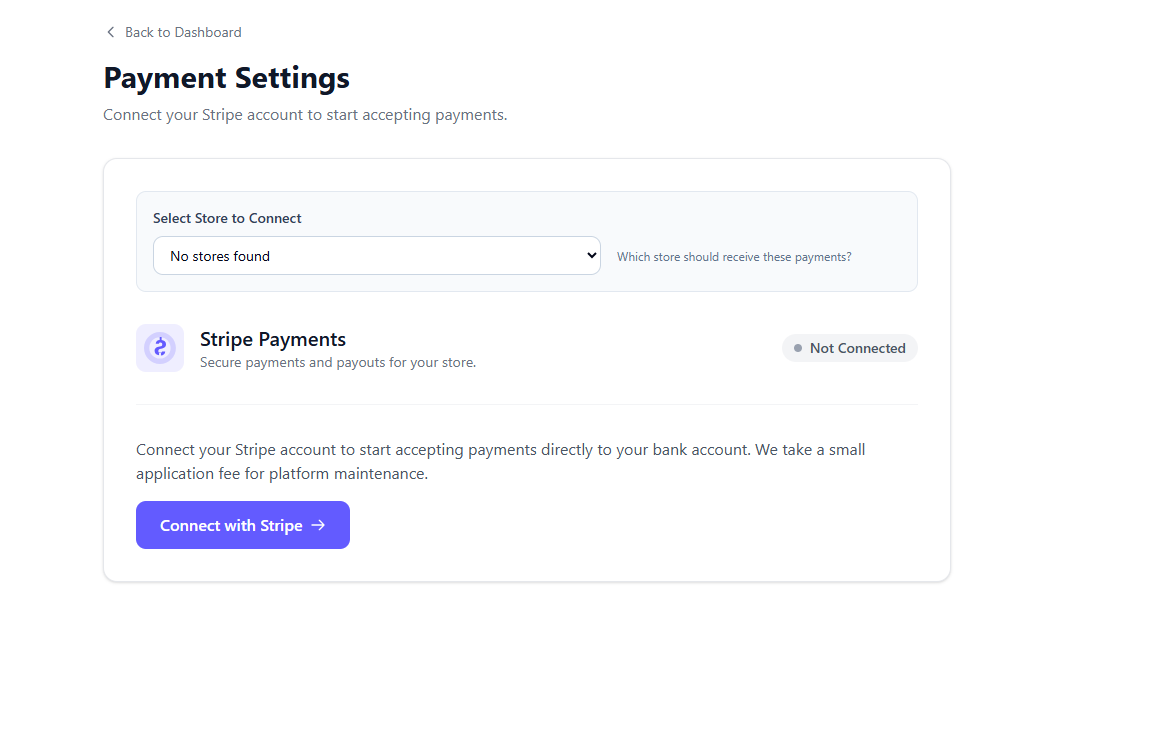
- Stripe Connect payment settings: choose which store receives payments and connect a Stripe account so payouts go to the merchant's bank account
- The platform takes a small application fee on payments, as stated on the payment screen
- Storefronts include shop, cart and content pages (e.g. Home, Shop, Our Story, Journal, Contact, Cart on the AltaBloom template)
Accounts
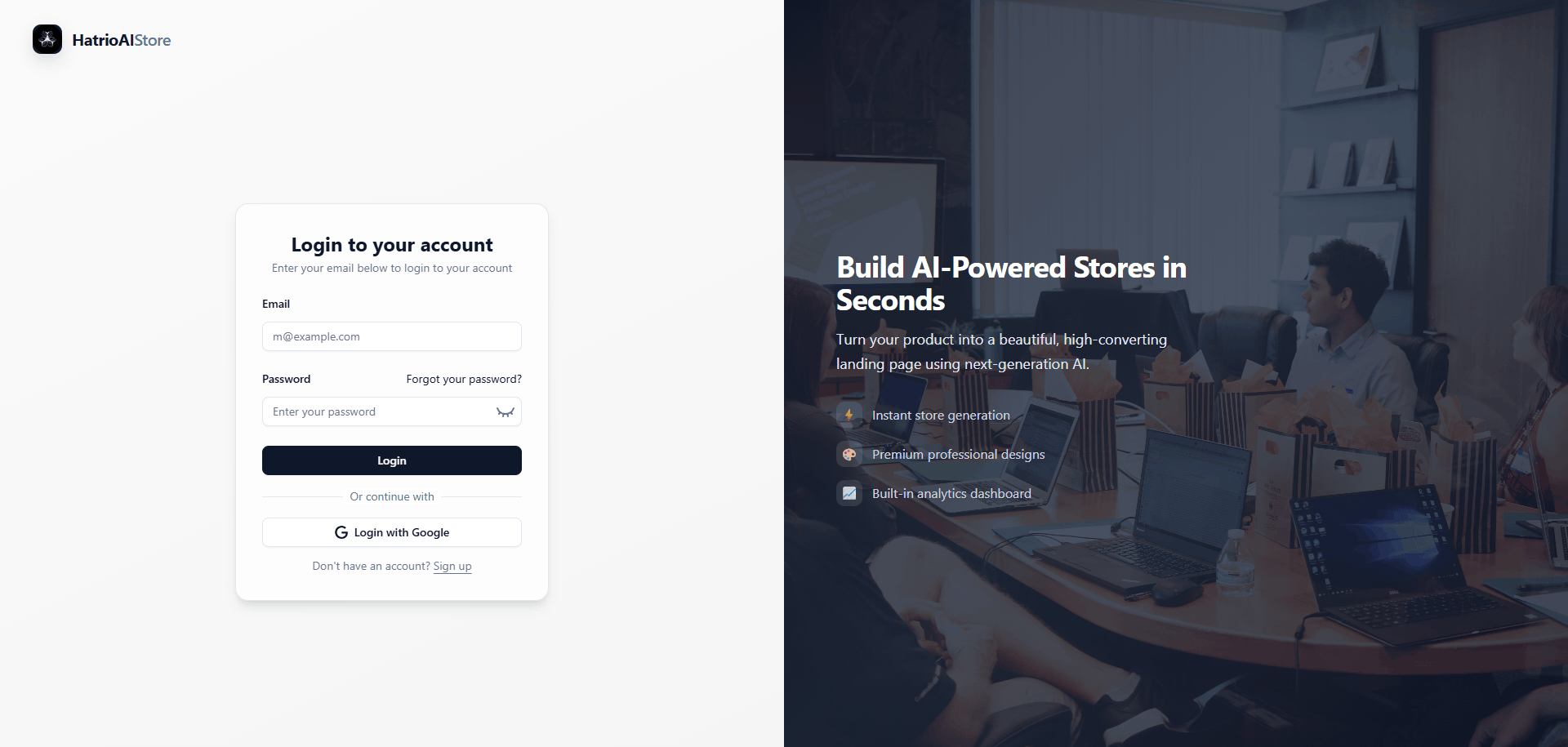
- Email and password login, forgot-password and sign-up
- Login with Google
- The login page advertises instant store generation, premium designs and a built-in analytics dashboard (the analytics screen is not shown in the screenshots)
Who it is for
- Founders who want to launch an AI website or store builder SaaS in the space occupied by tools like Shopify Magic, Wix ADI or Durable
- Digital marketing and web agencies that build product pages and small stores for clients and want to cut delivery time
- E-commerce entrepreneurs and product teams that need launch and campaign pages without a developer
- Freelancers who want to resell a white-label store builder under their own brand
How it works
- The merchant signs up with email or Google.
- They open the AI Builder, enter a store name and describe the product, audience, pricing and tone.
- The AI generates the storefront section by section (or as a full page), or the merchant starts from a template instead.
- They refine copy, fonts, colours, spacing and currency in the style inspector and check desktop, tablet and mobile previews.
- They connect Stripe through Stripe Connect and publish the store at its own address.
- Orders appear in the merchant dashboard.
Ways to monetize
- Transaction fees: the Stripe Connect flow already takes a platform application fee on every payment
- Subscription plans: the dashboard has a Plan section a buyer can tie to tiered pricing (stores, AI generations, premium templates)
- Premium templates, custom domains, team accounts and branding, which the seller lists as natural next steps
- Agency or white-label licences for marketing agencies
Technology
Svelte · JavaScript · HTML5 / CSS3 · PostgreSQL (PL/pgSQL) · Stripe Connect · Google sign-in
What you get
- Source code for the merchant-facing website and storefronts
- Source code for the admin panel
- Database code (PL/pgSQL)
- 30 days of seller support, with optional paid maintenance
Good to know
- Stack to verify. The seller lists Svelte, JavaScript, PL/pgSQL, HTML and CSS but says the backend framework, database schema, AI provider, authentication and integrations should be confirmed from the source code before a sale. Ask which LLM API powers generation and whether the database runs on plain PostgreSQL or a hosted service.
- Product scope. The seller copy describes an AI product page generator, while the screenshots show a fuller multi-store builder with templates, orders, plans and Stripe Connect. Confirm with the seller how complete the cart, checkout, orders and analytics features are.
- No public demo. No live demo or video is listed, so ask the seller for a walkthrough or a staging deployment.
- Traction. No revenue, user or merchant numbers are given. Treat it as a codebase, not an operating business.
- Your own accounts. You need your own AI provider API key, Stripe Connect platform account, Google OAuth credentials and hosting to run it.
- Payments compliance. Running a Stripe Connect platform that takes fees means meeting Stripe's platform requirements and your local rules for marketplaces.
What's included
- Admin Panel
- Website
Documentation
Once the initial page is generated, users can review the result in a preview and refine it using the visual editor. They can update text, adjust colors and typography, customize page sections, and align the design with their brand. The responsive layout is intended to work across desktop and mobile devices.
The application also supports reusable templates and an integrated publishing workflow, helping users move from generated content to a finished product page. Its page output emphasizes semantic HTML and SEO-friendly structure. The public-facing product demonstrates these user flows, but the specific backend framework, database schema, AI provider, authentication implementation, and external integrations should be confirmed from the source code and deployment configuration before a sale.
Support
Included: 30 days
Contact the publisher
Reviews
No reviews yet.