Marketing Video Creator: Browser-Based Video Editor Source Code (Split, Insert & Text Overlay)
A fast, privacy-first video editor that runs entirely in the browser: split a long recording into clips, drop extra footage in at exact moments, and burn in styled, timed text overlays. Everything is processed on the user's device with FFmpeg compiled to WebAssembly. No accounts, no uploads, no server costs.
Screenshots

About this product
Marketers and creators rarely need a full video suite. They need to do three things quickly: cut a long recording into short clips, insert an intro or b-roll at the right moment, and add text such as a headline, captions or a call to action. Desktop editors are heavy, and online editors make you upload every file and pay a subscription.
Marketing Video Creator does those three jobs entirely in the web browser. Processing runs on the user's own machine with an in-browser build of FFmpeg (WebAssembly), so footage never leaves the device, original quality is preserved, and there are no server-side rendering costs for whoever hosts it. That makes it a strong base for a freemium SaaS, a white-label tool, or a lead magnet for a marketing agency.
Three tools
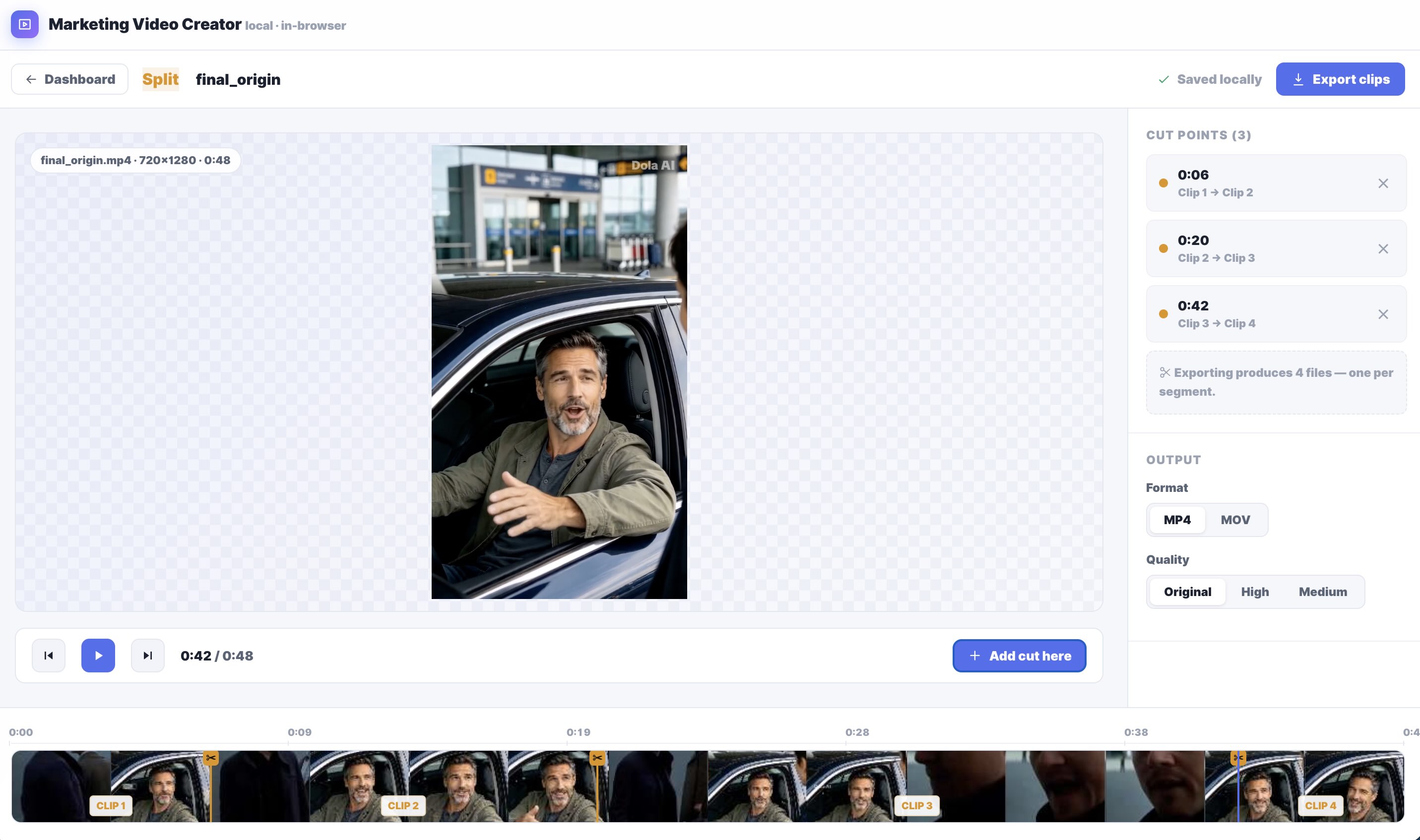
1. Split Video (video splitter)
- Upload a video and mark cut points on a frame-thumbnail timeline
- Export every segment as its own file: 3 cut points produce 4 clips
- Frame-exact cuts, because each segment is re-encoded
- Useful for chopping a webinar, podcast or product demo into short-form clips for social media
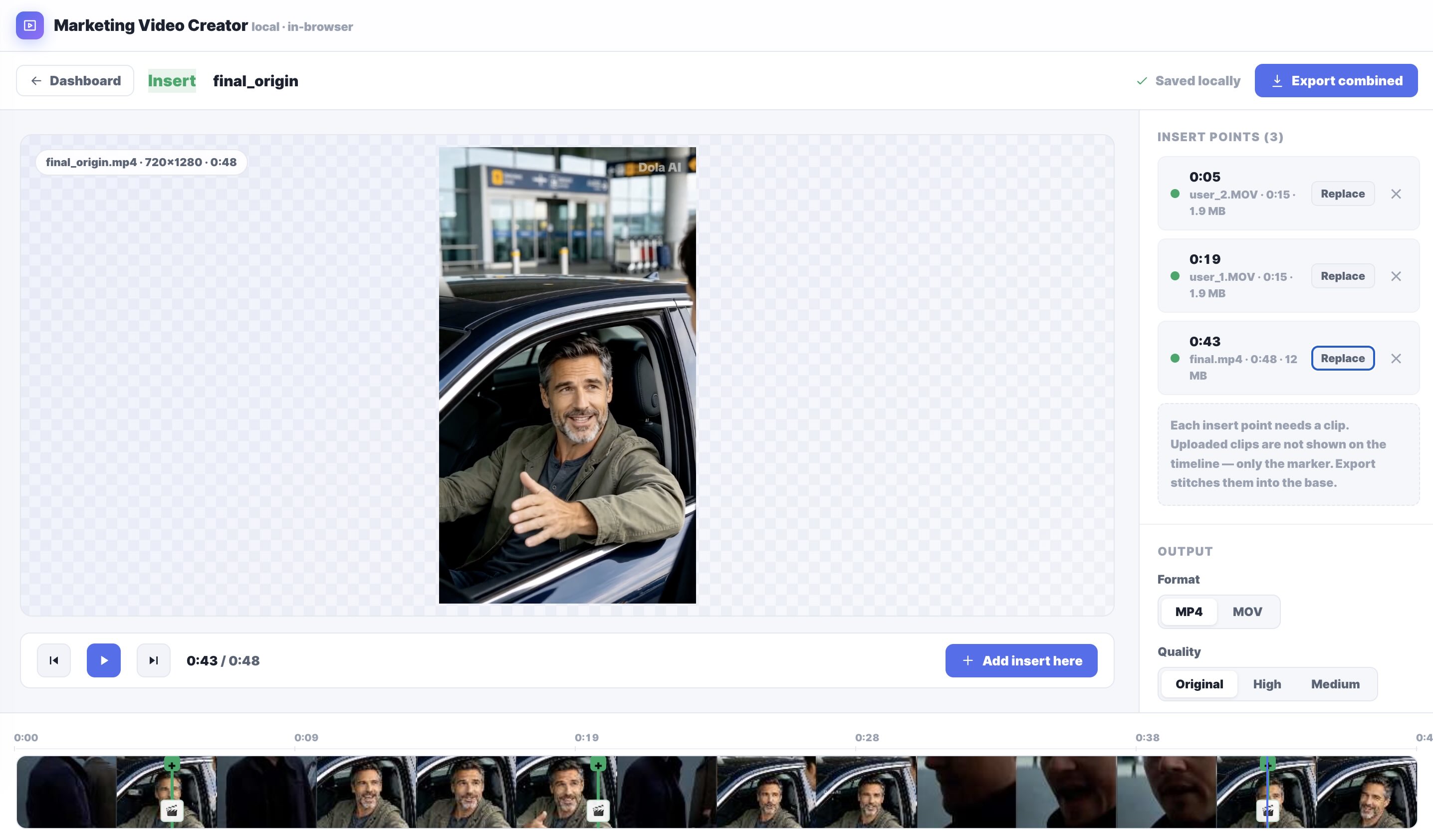
2. Insert Videos (merge and insert clips)
- Mark insert positions in a base video and attach a clip to each one
- Replace or remove inserted clips at any time
- Inserted footage of any resolution is automatically scaled and center-cropped to match the base video
- Export one combined video, with branded intros, b-roll and testimonials stitched in
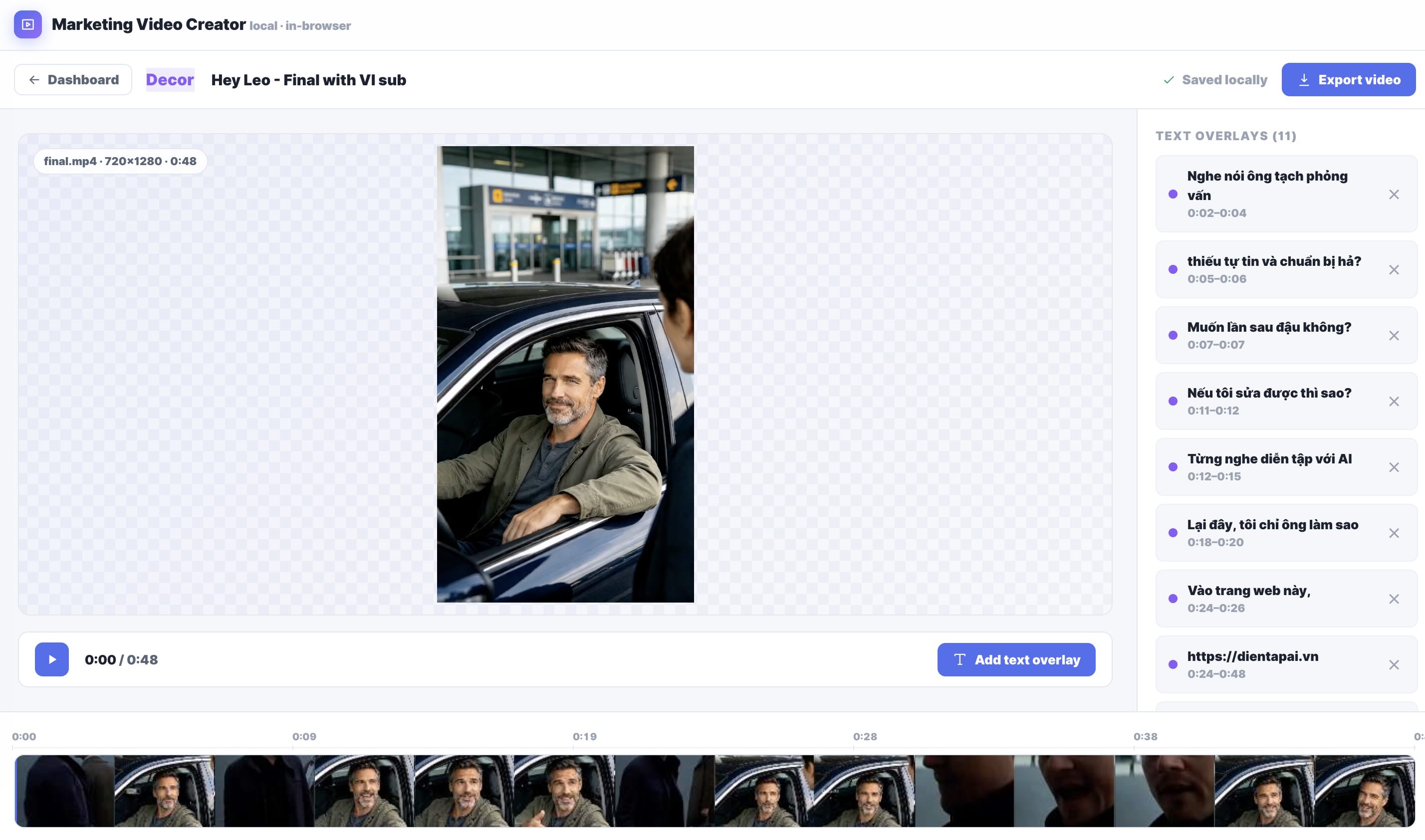
3. Decor Video (text overlays and captions)
- Add any number of burned-in text overlays
- Full styling: font family, size, bold, italic and color
- Drag text anywhere on the live preview
- An optional dark or light readability scrim keeps text legible over bright footage
- Precise per-overlay on-screen timing
- Unicode text support, so it can caption and subtitle in other languages (e.g. Vietnamese)
Editor features
- A dashboard with recent projects, showing each project's type, file, duration and overlay or insert count
- A timeline with frame thumbnails, a scrubbable playhead and playback controls
- A live preview that matches the export exactly: same fonts, colors, positions and timing
- Autosave in the browser via IndexedDB, so users can close the tab and resume later
- Export as MP4 or MOV at Original, High or Medium quality
- Save exports to a real folder via the file picker, in supported browsers
- Works with vertical (9:16, e.g. 720×1280) and horizontal video
- No accounts, no uploads and nothing to install
Example workflow
A social media manager records a 15-minute product demo. With Split Video they cut it into four standalone clips. With Insert Videos they drop a branded intro at the start of each one. With Decor Video they add a headline and a call-to-action caption, each with a dark scrim, timed to appear only at the right moments. A few minutes later, without uploading a single file, they have a week of on-brand, ready-to-publish marketing videos.
Who it is for
- SaaS builders: launch a freemium online video editor with near-zero infrastructure cost.
- Marketing agencies: offer a white-label clip-and-caption tool to clients, or use it as a lead magnet.
- Creator-economy platforms: embed quick editing for short-form content.
- Privacy-sensitive teams (legal, healthcare, enterprise) that can't upload footage to third-party editors.
- Developers who want a working reference for FFmpeg.wasm video processing in React.
Technology
React · TypeScript · Vite · Zustand (state) · IndexedDB (local project storage) · FFmpeg compiled to WebAssembly · CSS
What you get
- Complete front-end source code
- All three tools: Split, Insert and Decor
- 30 days of seller support
- Optional annual maintenance: $50/year
Good to know
- Performance depends on the user's device. Because processing happens in the browser, long or high-resolution videos take longer on slower computers.
- Folder saving is browser-dependent. Choosing a save folder uses the File System Access API (Chromium browsers). Other browsers fall back to a standard download.
What's included
- Website
Documentation
When you are ready, click Export. The tool first asks where to save the file (a real folder or file picker in supported browsers), then processes everything locally with ffmpeg compiled to WebAssembly: splitting re-encodes each segment for frame-exact cuts, inserting normalizes and stitches clips together, and decorating composites your text onto the video. Because it runs in the browser, nothing is uploaded and the source quality is retained. Finished videos are written straight to the location you chose.
Support
Included: 30 days
Contact the publisher
Reviews
No reviews yet.