All-Trades Calculator: Construction & Trade Calculator App Source Code (Python + Kivy)
All-Trades Calculator puts 32 calculators for construction, electrical, plumbing, carpentry, welding, mechanical and general contracting in one app. It switches between metric and imperial, runs in English, Spanish and Chinese, keeps a history, and exports job sheets as PDF. Python + Kivy, with all data stored on the device.
Screenshots
About this product
Tradespeople do a surprising amount of maths on the job. A carpenter works out rafter lengths and stair stringers, an electrician sizes a breaker for a set of appliances, a roofer estimates shingles, and a contractor prices timber. Most of them juggle a phone calculator, a couple of single-purpose apps, printed tables and mental arithmetic, then rewrite the results on paper for the client. Each trade has its own app, and few of them handle metric and imperial units, several languages and job paperwork in one place.
All-Trades Calculator is a construction and trade calculator app that brings 32 calculators across seven trades into one interface: Construction, Electrical, Plumbing, Carpentry, Welding, Mechanical and General Contractor. It switches between metric and imperial, runs in English, Spanish and Simplified Chinese, keeps a calculation history, and lets users save results to named job sheets exported as PDF. It is written in Python with Kivy, stores everything locally on the device and needs no server or external API, which makes it cheap to run and easy to extend.
Features
32 calculators across 7 trades
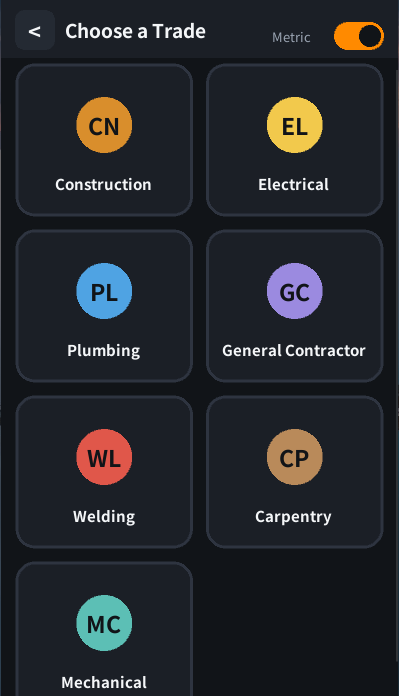
- A Choose a Trade screen with Construction, Electrical, Plumbing, General Contractor, Welding, Carpentry and Mechanical
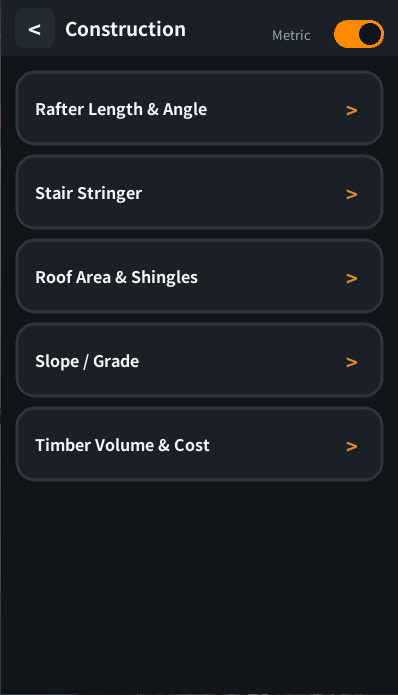
- Construction calculators include Rafter Length & Angle, Stair Stringer, Roof Area & Shingles, Slope / Grade and Timber Volume & Cost
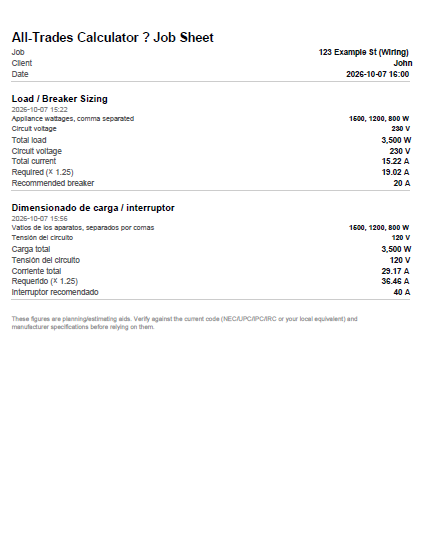
- Electrical Load / Breaker Sizing: enter appliance wattages and circuit voltage to get total load, total current, required current (×1.25) and a recommended breaker
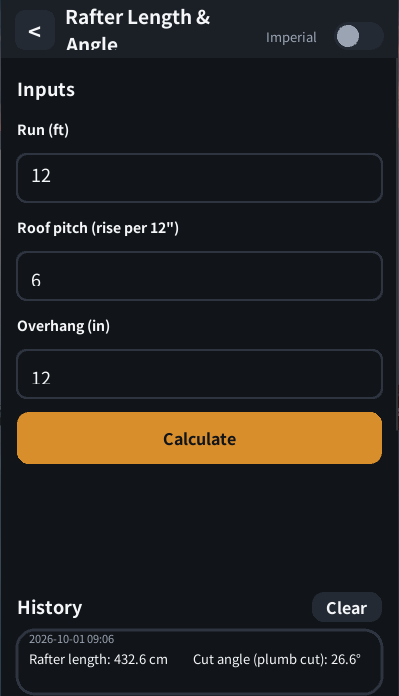
- Rafter results include rafter length and plumb-cut angle, from run, roof pitch (rise per 12") and overhang
- A calculator registry and shared calculation code so new calculators are easy to add
Units, history and settings
- Metric / imperial toggle on every screen
- Calculation history with timestamps under each calculator, plus a Clear button
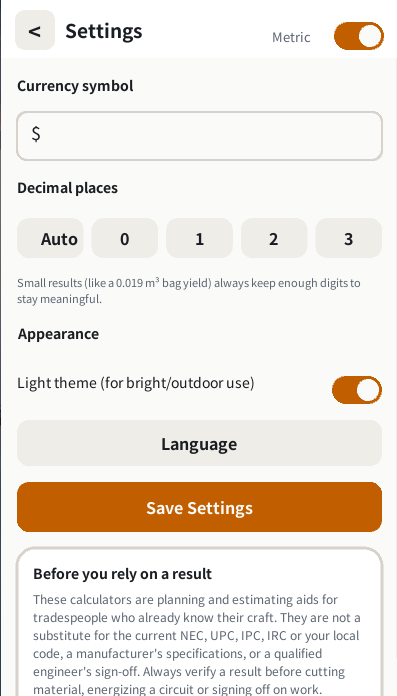
- A configurable currency symbol for cost calculators
- Decimal places: Auto, 0, 1, 2 or 3, with very small results keeping enough digits to stay meaningful
- Light and dark themes, with the light theme intended for bright outdoor use
- Language switching between English, Spanish and Simplified Chinese
- A built-in disclaimer that results are planning and estimating aids, not a substitute for the NEC, UPC, IPC, IRC or local code
Job sheets and sharing
- Create named job sheets and optionally attach a client
- Save calculator results to a job and export the job as a PDF with job, client, date and each calculation's inputs and results
- Native sharing of results through Plyer
Who it is for
- App entrepreneurs and developers who want a ready-built trade utility to publish, brand and monetize
- Construction-tech and trade-service companies that want a free branded tool for electricians, plumbers, carpenters, welders and contractors
- Trade schools and training providers that want a multilingual calculator for students
- Python developers looking for a clean, modular Kivy codebase to learn from or extend
How it works
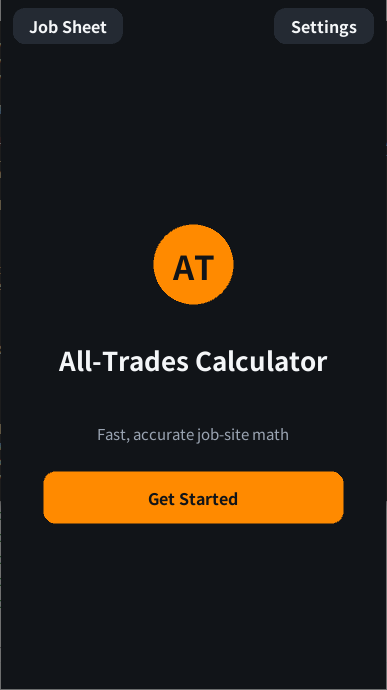
- The user taps Get Started and picks a trade.
- They choose a calculator from that trade's list and enter the values in metric or imperial.
- The result appears instantly and is saved to that calculator's history.
- They can share the result, or save it to a named job sheet for a client.
- The job sheet is exported as a PDF to send to a client or keep on file.
Ways to monetize
A buyer could sell it as a paid app, offer a free tier with premium trades or PDF job sheets behind an in-app purchase or subscription, show ads, or white-label it for tool suppliers, builders' merchants and trade associations.
Technology
Python · Kivy · Plyer (native sharing) · Buildozer (Android packaging) · kivy-ios (documented iOS workflow) · CustomTkinter (desktop) · local JSON storage
What you get
- Application source code, with the UI, navigation, calculator logic, shared widgets, storage, themes and translations in separate modules
- All 32 calculator modules and the calculator registry
- Translation files for English, Spanish and Simplified Chinese
- App icon
- Android Buildozer configuration
- Documentation, including the iOS build workflow and desktop tests
- 30 days of seller support
Good to know
- Mobile builds not verified. The seller says desktop functionality has been tested, but Android and iOS release builds and app-store publication have not been verified. Budget time for mobile build, device testing and store submission.
- iOS. iOS is not in the deliverables. Only a kivy-ios build workflow is documented, and it needs macOS and Xcode.
- Check the formulas. The seller asks buyers to review the calculations independently. Trade results such as breaker sizing depend on local electrical, plumbing and building codes, so have the calculators checked before marketing them.
- Desktop version. The deliverables list CustomTkinter for desktop, while the description uses a Kivy
main.pyfor desktop testing. Confirm with the seller whether a separate CustomTkinter desktop app is included. - Small fixes seen in screenshots. The PDF job sheet title shows a "?" where a separator character should be, and one rafter screenshot shows imperial inputs alongside a history entry in centimetres. Ask the seller about both.
- No backend. All data stays on the device. There are no accounts, cloud sync or payments built in.
- Traction. The app has not been published, so there are no users or revenue.
What's included
- Android
- Desktop
Documentation
Application architecture: main.py serves as the entry point for desktop testing. The application layer manages screen transitions and navigation, while reusable interface components provide cards, buttons, inputs, toggles, and the top navigation bar. Dedicated screen modules handle the home screen, trade selection, calculator lists, and calculation forms.
Calculator logic: Individual calculator modules contain the calculation implementations, with a registry organizing the available calculators. The project uses shared calculation logic so the same formulas can be used in the desktop development environment and the intended mobile application.
Main user flow: Users select a trade category, choose a calculator, enter the required values, and view the calculated result. They can review saved history, share results, adjust measurement units and preferences, or save results to a named job sheet and export the job as a PDF.
Data model and storage: Settings, calculation history, and related local data use JSON-based storage in the application's device-specific data directory. The documented implementation keeps this information on the device rather than sending it to a remote server.
Integrations and deployment: Kivy provides the interface, Plyer supports native sharing, and Buildozer is configured for Android packaging. An iOS build workflow using kivy-ios is documented and requires macOS and Xcode. No remote backend, external API dependency, or cloud database is documented as part of the current implementation.
Desktop-based tests are documented. Actual Android and iOS release builds and store deployment remain to be completed and verified
Support
Included: 30 days
Contact the publisher
Reviews
No reviews yet.